









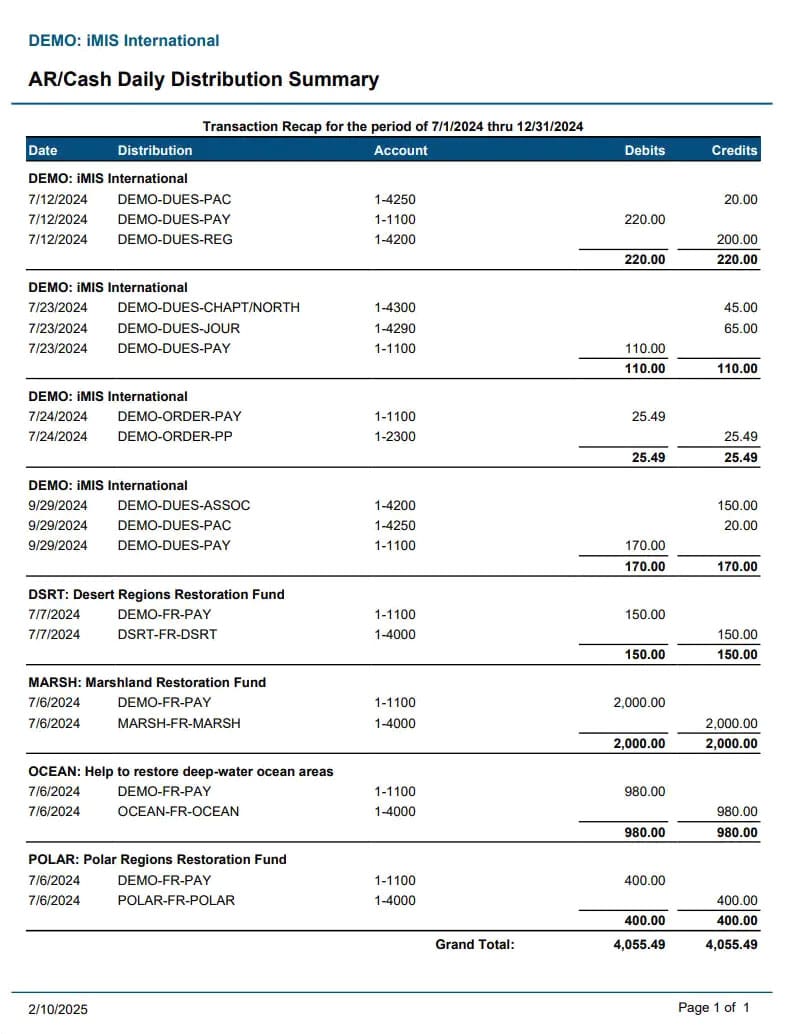
The Customer Details Report in GlassJar is a centralized, transaction-level report that provides a complete financial history for each customer in your accounting system. Unlike summary reports that show revenue totals or balances, the Customer Details Report lists every invoice, payment, credit memo, refund, and adjustment connected to a specific customer, allowing you to trace the full lifecycle of your business relationship with that individual or organization.
The report includes customer names, contact information, invoice numbers, payment statuses, transaction dates, due dates, outstanding balances, and applied credits. Depending on how your business uses customer tagging, projects, or locations, the report can also include segmented views across regions or client types. With this level of transparency, you’re able to answer questions quickly, resolve disputes with confidence, and analyze customer performance from both operational and financial perspectives.
Available Data
- Customer Name
- Customer Email
- Customer Address
Available Filters & Sorting
- Date Added
- Customer Name
- Customer Address
Available Totals
- Customer Count

COMING SOON
Why the Customer Details Report Matters
In service-based businesses, recurring billing environments, or any operation that manages large numbers of customer transactions, it becomes essential to have a clear and accessible record of client activity. The Customer Details Report is more than just a history log—it’s a critical reference that enables smart decision-making, accurate recordkeeping, and better communication with clients.
Whether you need to verify a late payment, provide a detailed activity log to a customer, or analyze customer profitability, this report puts everything in one place. It reduces the need to search through individual invoices, account notes, or payment histories scattered across different modules. In GlassJar, the report pulls from live, real-time data so you’re always working with the most accurate and up-to-date information.
How to Access and Use the Customer Details Report in GlassJar
To access the Customer Details Report in GlassJar, navigate to the Reports section under “Customers & Receivables.” Once selected, the system allows you to filter by date range, customer name, status (active, inactive), balance (outstanding or paid), and transaction type.
When the report is generated, each row represents a financial interaction—such as an invoice, payment, refund, or credit—along with columns for:
- Transaction ID
- Date
- Due Date
- Reference Number
- Amount
- Amount Paid
- Outstanding Balance
- Payment Terms
- Status
For businesses using custom fields or tags—such as region, industry, or assigned account manager—these can be added as additional columns. Users can also sort the report by customer name, payment status, transaction date, or balance to tailor the view to specific tasks.
Clicking into any row gives access to the full transaction record, including notes, attachments, and payment history. This allows for deeper analysis or immediate resolution when discussing account status with clients.
The Customer Details Report can be exported to Excel, CSV, or PDF formats for use in audits, internal reviews, client statements, or executive presentations. Filters can be saved for recurring use, so team members can generate the same view each month or quarter without repeating configuration steps.
Scenarios Where This Report Is Essential
When Resolving Customer Inquiries or Disputes
One of the most common reasons to use the Customer Details Report is to answer billing questions from clients. Whether a customer claims a payment was made but not credited, or is confused by their current balance, having a full list of every transaction allows your team to respond quickly and accurately. You can walk through charges, payments, and credit applications line by line, reducing misunderstandings and enhancing customer trust.
During Collections and Accounts Receivable Follow-Up
If a customer has overdue invoices, the report can help identify which transactions remain unpaid and how long they’ve been outstanding. When following up with clients on past due balances, referencing this detailed history can clarify payment obligations and support more effective communication. It also allows internal teams to flag accounts that require escalation or closer monitoring.
For Account Management and Client Reviews
Sales or account management teams often conduct quarterly or annual reviews with key customers. The Customer Details Report provides a comprehensive view of client activity—highlighting purchase frequency, invoice accuracy, returned items, or payment reliability. This helps teams tailor their conversations and propose new services or incentives based on actual customer behavior.
Preparing for Tax Reporting and Year-End Closing
At the end of the fiscal year, many businesses need to verify customer balances, confirm revenue recognition, or reconcile outstanding credits. The Customer Details Report provides all the necessary documentation in one place. For example, if your team needs to validate how many invoices were issued to a customer in a given year and how much was collected, this report will provide the answers without the need to generate multiple reports or spreadsheets.
Auditing and Compliance Reviews
For businesses subject to financial audits, grant reporting, or industry-specific compliance checks, the Customer Details Report is a key source of documentation. It shows a full trail of customer financial activity, including transaction dates, due dates, adjustments, and reconciliations. Auditors often request transaction-level detail for a sample of customers, and this report fulfills that requirement directly from the accounting system.
When Assessing Customer Profitability
Not all customers contribute equally to your bottom line. While the Sales by Customer Report shows total sales, the Customer Details Report adds payment behavior, credit usage, and refunds to the picture. You may have a client with high sales volume but poor payment habits or frequent credit requests, which affects cash flow and margin. By analyzing the complete transaction history, your business can make informed decisions about pricing, terms, or client prioritization.
Similar Reports That Complement the Customer Details Report
Sales by Customer Report
This report offers a summary view of how much revenue each customer has generated over time. It’s ideal for high-level performance tracking but lacks the detailed line-item breakdown that the Customer Details Report provides. When used together, these two reports provide a powerful combination of summary and detail.
Accounts Receivable Aging Report
While the Customer Details Report shows all transactions, the Accounts Receivable Aging Report focuses specifically on unpaid invoices and how long they’ve been overdue. It segments balances by time intervals—such as 0–30 days, 31–60 days, and so on—providing insight into collection priorities.
Customer Balance Summary
This report gives a snapshot of each customer’s outstanding balance, total credit available, and overdue amounts. It’s faster to review than the full Customer Details Report but lacks the full transaction history. It’s useful for quick status checks or preparing a list of accounts that need attention.
Invoice Detail Report
The Invoice Detail Report lists every invoice created within a given period, including itemized lines, tax details, and payment application. It focuses solely on invoicing, rather than the full spectrum of customer transactions. It’s useful when paired with the Customer Details Report to analyze sales volume at the line-item level.
Payment History Report
This report shows customer payments, how they were applied, and whether they were linked to specific invoices or entered as credits. It complements the Customer Details Report by focusing exclusively on cash inflows from customers.
Customization Features for Tailored Reporting
GlassJar allows extensive customization within the Customer Details Report to align with the way your business tracks client relationships. Filters can be applied to isolate:
- Specific customers or customer groups
- A defined time period (e.g., monthly, quarterly, fiscal year)
- Payment status (paid, partially paid, or unpaid)
- Transaction type (invoice, credit memo, refund, payment)
Users can also create saved views for different internal teams. For example, the finance team might want a version that shows due dates and balances, while the customer support team might focus on invoice disputes and payment notes.
Tags applied to customers—such as “reseller,” “retail,” “strategic,” or “monthly plan”—can also be used as filters to segment the report by account type. This enables a more targeted review of behavior patterns and service performance.
For recurring reporting, the Customer Details Report can be scheduled to run automatically and sent to designated team members. This supports streamlined workflows in departments like collections, sales, or compliance.
The Customer Details Report is a cornerstone tool for businesses that want transparency, accountability, and insight in managing customer relationships. It brings together all aspects of a client’s financial history, enabling proactive service, timely intervention, and smart strategic planning—all from one flexible and user-friendly report within GlassJar.


