














Gain financial insights with GlassJar’s custom tags. Track spending, organize expenses, and generate detailed reports. Custom tags give business owners and accountants the ability to add specific context to any transaction without altering the chart of accounts.
Instead of duplicating accounts for every location, department, or campaign, tags make it easy to track financial activity from multiple perspectives. This flexible layer of categorization supports better reporting, strategic planning, and financial control.
Tag Transactions for Better Organization
Easily assign custom tags to categorize transactions by project, department, location, or any criteria that matter to you. No more sifting through spreadsheets.
Generate Custom Reports with Ease
Filter and sort transactions based on your tags to create tailored financial reports. Get a clear breakdown of your spending, revenue, and cash flow trends in just a few clicks.
Improve Budgeting & Expense Tracking
Use tags to monitor business expenses, track project costs, and compare spending across categories. Gain better financial insights and stay on budget effortlessly.

“It’s everything QuickBooks should have been. We’re moving all of our clients over to GlassJar.”
– Ryan David
Green Valley Accounting
Make Better Sense Of Financial Data With Custom Tags
✔ Custom tags to categorize transactions your way
✔ Detailed reports for smarter financial decisions
✔ Better expense tracking to monitor spending
✔ Easy tax prep with tagged deductible expenses
✔ Seamless integration with your accounting system
Take Control of Your Finances with Custom Tags
Organize transactions, simplify reporting, and gain better insights. Try GlassJar for free and start tagging today.

The Power of Custom Tags in Small Business Accounting
Streamline Complex Data
In growing businesses, expenses and income often overlap across projects, clients, or locations. Custom tags allow users to slice financial data without adding confusion. Whether you’re tracking customer refunds, seasonal campaigns, product lines, or internal cost centers, tags help clarify exactly what each transaction is for.
Tag Transactions for Project-Based Tracking
Understand Project Profitability
When working across multiple client engagements or internal initiatives, it becomes essential to know which projects are driving results and which are costing too much. GlassJar’s custom tags let users associate every expense, billable hour, or sale with a project code. This allows project-level profitability analysis without the need for separate accounts or external spreadsheets.
Align Team Activity to Tagged Projects
Custom tags can be applied to invoices, bills, journal entries, and even employee time logs. This ensures that all team members are operating within the same tagging structure and enables business owners to see a full picture of financial activity tied to each project. Reports can then be filtered by tag to review margins, performance, and billable vs. non-billable costs.
Segment Financial Data Without Adding Accounts
Reduce Account Clutter
Many accounting systems require users to create unique accounts for every minor distinction, such as “Meals – New York” and “Meals – San Diego.” GlassJar eliminates the need for these redundant accounts by letting users apply a location tag instead. The same base account, “Meals & Entertainment,” can be used across the business while tags provide the additional layer of detail needed.
Clean Reports With Flexible Sorting
By separating classification (accounts) from categorization (tags), GlassJar gives users control over how they view their reports. Want to group transactions by vendor? Or by department? Or by campaign? With tags, you don’t need to rewire your account structure. Just filter or group by tag.
Budgeting With Custom Tags

Allocate Budgets by Campaign, Client, or Category
GlassJar enables users to assign budgets to tags. This means businesses can budget for initiatives like “Product Launch Q1,” “Client Onboarding,” or “Trade Show” and monitor spend in real time. Budgets aren’t just limited to accounts anymore. They can now reflect real-world priorities and strategies.
Monitor Spending With Real-Time Alerts
Once a budget is tied to a tag, GlassJar can track all associated transactions and trigger alerts when you approach or exceed budget thresholds. This gives business owners more time to course-correct, renegotiate, or pause spending without waiting for end-of-month reconciliations.
Analyze Profitability by Tag
Full Visibility Into Margins
Assigning tags across income and expenses lets you determine profit margins for any aspect of your business, including specific clients, product lines, events, or seasonal campaigns. This level of insight helps business owners prioritize high-margin initiatives and phase out underperforming ones.
Compare Tags Over Time
By analyzing how each tag performs month over month or year over year, users can uncover trends and make informed decisions about where to invest time and resources. Tag-based performance metrics are particularly valuable in service industries, event planning, and consulting, where direct and indirect costs vary widely between projects.
Create Tag Categories for Better Organization
Structure Tags by Purpose
GlassJar allows users to group tags under custom categories. For example, a company might use categories such as:
- Clients: Acme Corp, RedRock Energy, Miller Dental
- Locations: HQ, West Coast, Midwest, Online Sales
- Campaigns: Q1 Launch, Summer Sale, Year-End Push
- Departments: Marketing, Product, Fulfillment, Finance
This structure keeps tag management clean and searchable while improving consistency across the business.
Prevent Tagging Errors
Tag categories reduce the risk of duplication and human error. Rather than manually typing in freeform tags (which could lead to typos or mismatches), users can select from a dropdown of approved tags within a defined category. This standardization keeps reports clean and aligned across all departments.
Filter Reports With Tag Precision
P&L Reports by Tag
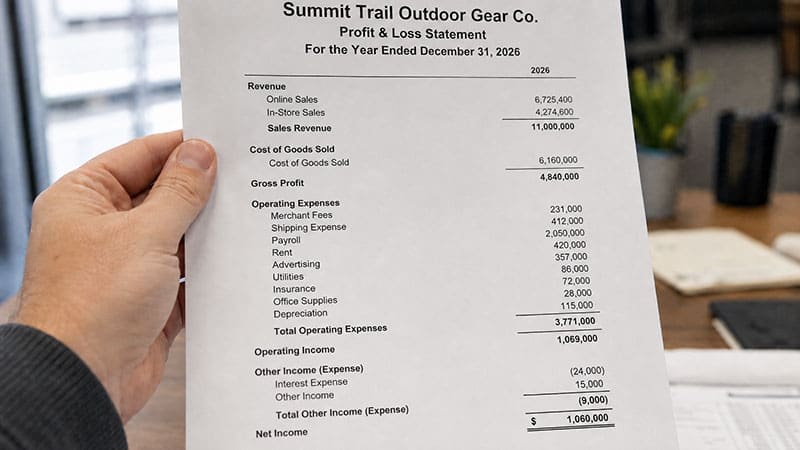
GlassJar allows businesses to generate Profit & Loss reports for specific tags. Want to know how much you earned and spent on the “Webinar Series Q3” initiative? Or what your margins were for “Client B” last month? With custom tags, those answers are instantly available without exporting to Excel or modifying accounts.
Cross-Filter by Account and Tag
Users can combine account-level filters with tag-based filters to view financial data with precision. For example, filter for all “Software Subscriptions” tagged with “Marketing Department” to see only the SaaS tools billed to marketing. These granular reports empower leaders across the organization to better manage their budgets.

“GlassJar is an accounting software game-changer.”
– Danielle Kenmore
Parker & Wilson Accounting
Assign Tags to Invoices and Bills

Tag Customer Invoices
Custom tags can be applied to outgoing invoices. This means any income generated through client billing can be tracked against a tag, such as a project name, campaign, or internal cost center. This makes it easier to analyze how much each initiative is bringing in, and compare it against costs.
Tag Vendor Bills
Incoming bills can also carry tags. A photography vendor’s invoice tagged with “Holiday Campaign” and “Marketing” will later be grouped with all other related transactions. Whether it’s printing, shipping, software, or hourly work, expenses can be sliced by tag to match the way business is actually conducted.
Apply Tags to Employee Time Logs
Track Billable Time With Tag Consistency
GlassJar’s time tracking module lets users log hours by client, task, or project tag. This ensures that payroll, invoicing, and internal labor costing are aligned to the same tagging framework. When hours are billed out to clients or used for internal profitability analysis, all entries can be traced back to a purpose.
Optimize Team Allocation
By reviewing tagged time logs, business owners can identify which clients or tasks consume the most labor resources. If one client requires twice as many hours as others for the same service, it may be time to reprice or reassess the relationship. Tags allow this kind of analysis in just a few clicks.
Manage Departmental Spending With Ease
View Expenses by Department Tag
Assigning department tags across expenses and time logs makes it possible to build department-specific financial statements. This supports internal accountability and ensures leaders can monitor spending in real time. No need for department-specific accounts. Just use a “Department” tag and choose the appropriate value at the point of entry.
Enable Department Leads With Dashboards
With tag-based dashboards, department heads can view their own financial activity without needing to sift through irrelevant data. Finance teams can grant access to department-specific views filtered by tags, empowering operational managers to take ownership of their numbers while maintaining full control over the master ledger.
Tags for Asset Tracking and Depreciation
Tag Purchases to Specific Assets
When a business purchases equipment, technology, or furniture, the transaction can be tagged to a specific asset or asset group. This helps track all spending related to that item, including initial purchase, upgrades, maintenance, or repairs.
Use Tags for Depreciation Schedules
GlassJar users can apply tags to associate transactions with depreciable assets. This simplifies the setup of depreciation schedules, ensures consistent categorization, and improves end-of-year reporting. Businesses with multiple asset classes benefit from the clarity of tag-based organization.
Track Recurring Initiatives Over Time
Group Seasonal or Repeating Events With a Tag
Recurring campaigns, such as annual fundraisers, quarterly product drops, or seasonal hiring, can all be tracked over time using a single tag. The tag “Annual Spring Event” can be used every year to monitor how the event evolves. This supports long-term benchmarking and helps measure return on investment.
Compare Year-Over-Year Performance
By using the same tag consistently across years, users can build comparative reports. For example, by tagging all revenue and expenses related to “Summer Sale” each year, you can build a multi-year trend report that reveals whether marketing and product changes have paid off.
Empower Multi-Entity Accounting With Tags
Use Tags in Consolidated Environments
For businesses managing multiple brands, regions, or subsidiaries within a single GlassJar file, tags allow centralized accounting with segmented visibility. Instead of duplicating transactions across entities or managing separate books, you can use tags to group by business unit or region, all while maintaining a single chart of accounts.
Simplify Internal Allocations
If one department incurs costs on behalf of another, tagging makes it easier to allocate expenses during month-end. Internal transfers, shared expenses, and overhead can all be tracked using custom tags, ensuring accurate allocations without overcomplicating account structures.