














You set both numbers and this tool does the arithmetic on them. Overtime rules vary by state and by employment classification, and some states count a daily threshold rather than a weekly one. This tool does not decide which rule applies to you or whether overtime is owed. Weekly thresholds are counted in 7 day blocks starting on the pay period start date. See the Tool Notice.
Names, hours, and pay rates stay on your computer. This tool runs entirely in your browser. GlassJar never receives or stores the people you list, the times you enter, or the rates you pay them.
This tool calculates hours and pay from the times and rates you enter, using overtime rules you set yourself. It does not determine whether overtime is owed, how employees should be classified, or what any jurisdiction requires. See the full Tool Notice and Terms of Use.
Most timesheet templates are a grid you print. You write down 8:30 and 5:00, and then you work out that the day was eight hours after the half hour lunch, and then you multiply by a rate, and then you add up a column. The template did the ruling of the lines. You did the arithmetic.
This one does the arithmetic. Type a clock in time, a clock out time, and the unpaid break in minutes, and the row fills in its own hours. Add an hourly rate and it prices the day, the week, and the period. Nothing needs a Calculate button, and nothing needs Excel.
It takes times the way people actually write them
Type 8:30 AM, or 830a, or 0830, or just 8. Any of them become 8:00 or 8:30 in the morning, and the field tidies itself up when you move on. Times that cross midnight work the way you would expect: clock in at 10:00 PM, clock out at 6:30 AM, take a thirty minute break, and the row reads 8.00 hours on the night the shift started.
If you already track hours as a decimal, skip the clock entirely and type 7.25 straight into the Hours column. The row takes your number and leaves the time fields alone. Whichever way you enter a day, the totals underneath keep up as you type.
Overtime, on rules you set
Switch on overtime and you get two fields: a threshold and a multiplier. They start at 40 hours a week and 1.5x because that is the most common arrangement, not because it is the right one for you. Both are yours to change, and you can count the threshold daily instead of weekly, which is how several states handle it.
That distinction matters more than it might look. Overtime rules vary by state and by employment classification, and an exempt salaried employee and an hourly one are not governed by the same math. This tool calculates hours and pay from the rules you give it. It does not decide whether overtime is owed or how anyone should be classified. For that, talk to a qualified professional or your state labor agency.
One person, or the whole crew
A single timesheet is a document. A crew timesheet with a labor cost on the bottom is a decision. Switch to the crew view and each person gets a row with their own hours, rate, and pay, and you can open any of them to see the daily detail behind the number. Underneath sits the part worth having: headcount, total hours, overtime hours, and what the period costs you in labor.
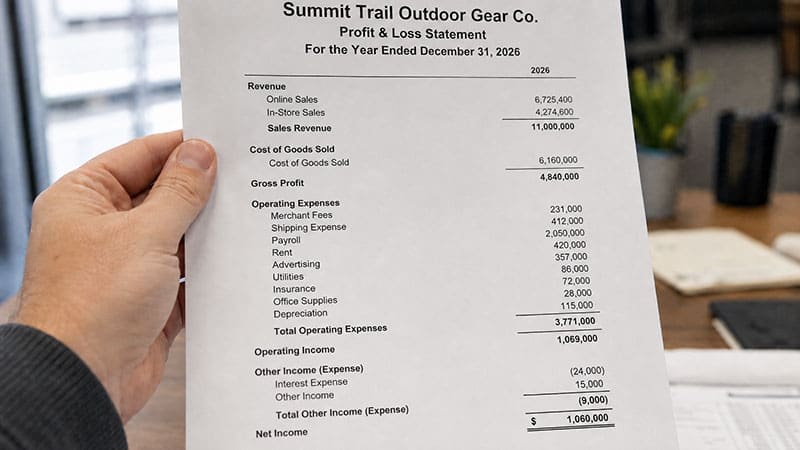
That total is the same figure the break-even calculator wants as a fixed cost, and the same one that lands in payroll expense on a profit and loss statement.
Names and pay rates are sensitive, so it is worth being plain about this: all of it happens in your browser. No name, hour, or rate is ever transmitted to GlassJar. Saving between visits is optional and lives on your own device, and the sheet exports to PDF, Excel, or CSV whenever it is worth keeping.
Frequently Asked Questions
How do I calculate hours worked from clock in and clock out times?
Subtract the clock in time from the clock out time, then subtract any unpaid break. From 8:30 AM to 5:00 PM is eight and a half hours, and a thirty minute lunch makes it 8.00. The timesheet on this page does that for every row as you type, including shifts that run past midnight.
How do I calculate overtime on a timesheet?
Total the hours for the period, subtract the hours that fall under your overtime threshold, and pay the remainder at your overtime multiplier. This tool splits each day into regular and overtime hours chronologically, so the day the week crosses the threshold shows both. You set the threshold and the multiplier yourself, because they vary.
Is overtime calculated weekly or daily?
It depends on the state and on how the employee is classified. Federal rules are built around a weekly threshold, and several states also apply a daily one. This calculator offers both and defaults to 40 hours per week at 1.5x, but it does not determine which rule applies to you. Check with your state labor agency.
How do I handle an overnight shift on a timesheet?
Enter the clock out time as it reads on the clock, even though it falls on the next calendar day. When the time out is earlier than the time in, this tool treats the shift as running past midnight and counts the hours against the day the shift began.
What is the difference between a weekly and a biweekly timesheet?
Only the length of the pay period. A weekly timesheet covers seven days, and a biweekly one covers fourteen and is paid every two weeks. This page has presets for both, plus a monthly range and a custom one, and it builds the day rows for whichever you pick.
Can I use one timesheet for several employees?
Yes. Switch to the crew view and add a person per row, each with their own hourly rate and their own daily detail. The totals underneath give you headcount, total hours, overtime hours, and total labor cost for the period, and the exported file carries every person’s daily grid plus the crew summary.
Are the names and pay rates I enter private?
Yes. Everything runs in your browser, and no name, hour, or rate you enter is ever sent to GlassJar. If you choose to download the timesheet as a file, we ask for your email address, and that is sent to us along with the address of the page and, if you came from one of our ads, the click identifier that brought you here.