





Profit margin is profit measured as a percentage of the selling price. Subtract the cost from the price, divide by the price, then multiply by 100. An item that costs $6 and sells for $10 earns a 40% margin. To work backward and price from a target margin, divide the cost by one minus that margin written as a decimal.
Margin % = (Price minus Cost) / Price x 100 | Price = Cost / (1 minus Margin)Your numbers stay on your computer. This tool runs entirely in your browser. GlassJar never receives or stores the figures you enter.
This tool performs arithmetic on numbers you supply. It does not provide pricing, accounting, tax, or legal advice. See the full Tool Notice and Terms of Use.
Profit margin answers one question: of every dollar a customer pays you, how much do you keep? Sell something for $12.00 that cost $4.25, and $7.75 of the sale is profit, which makes the margin 64.6%. The formula is price minus cost, divided by price, times 100. Note the divisor. Margin is always measured against the price, never the cost, and that distinction is what separates it from markup.
This calculator works in whichever direction your question runs. Most people arrive knowing cost and price and wanting the margin. But it is just as common to start from the other end: you know your cost and the margin the business needs, and the unknown is the price. Fill in any two of cost, price, margin, and markup, and the calculator completes the other two immediately, along with profit per unit. There is no button to press and no form to submit.

Gross margin, this calculator, and what it does not include
The figure this page computes is a gross margin on a single unit: price against direct cost. It deliberately does not fold in rent, payroll, insurance, or the other overhead a business carries, because those are not costs of one unit. They belong to a different question, which is how many units you must sell before the gross profit covers them. That question has its own tool, the break-even calculator, and the two are designed to be used together: margin tells you what each sale earns, break-even tells you how many such sales the month requires.
The margin that matters is the blended one
A price list rarely fails at the level of a single product. It fails in the mix. Expand this calculator into its pricing sheet mode and you can enter your whole line, one row per product, with cost, price, and optional monthly units. Every row shows its own margin, markup, and profit, and the totals row shows revenue, cost, profit, and the blended margin across everything, weighted by the volumes you entered.
It is entirely possible for every individual product to look healthy while the blend sits far lower, because the thin-margin items are the ones selling. Seeing that number is usually the moment a pricing conversation gets serious. The finished sheet downloads as a PDF, an Excel workbook, or a CSV, and prints cleanly.
If you tend to think in terms of what you add on top of cost rather than what you keep out of price, the markup calculator is this same engine with markup leading, and it explains the markup-to-margin conversion in more depth.
Private by design
Margins are among the most sensitive numbers a business has. This tool runs entirely in your browser: calculations, the pricing sheet, and the files you download are all produced on your own device, and GlassJar never receives a single figure. Saving between visits is strictly opt-in, stores the data only in your browser, and sits next to a clear button that erases it completely.
Target margin, required markup, and price multiplier
| Target margin | Markup required | Multiply cost by | Price on a $6 cost |
|---|---|---|---|
| 10% | 11.1% | 1.11 | $6.67 |
| 15% | 17.6% | 1.18 | $7.06 |
| 20% | 25.0% | 1.25 | $7.50 |
| 25% | 33.3% | 1.33 | $8.00 |
| 30% | 42.9% | 1.43 | $8.57 |
| 35% | 53.8% | 1.54 | $9.23 |
| 40% | 66.7% | 1.67 | $10.00 |
| 45% | 81.8% | 1.82 | $10.91 |
| 50% | 100.0% | 2.00 | $12.00 |
| 55% | 122.2% | 2.22 | $13.33 |
| 60% | 150.0% | 2.50 | $15.00 |
| 65% | 185.7% | 2.86 | $17.14 |
| 70% | 233.3% | 3.33 | $20.00 |
| 75% | 300.0% | 4.00 | $24.00 |
Frequently Asked Questions
How do I calculate profit margin?
Subtract cost from price, divide by the price, and multiply by 100. An item that costs $6 and sells for $10 has a margin of 40%. This calculator computes it instantly and can also work backward from a target margin to the price you would need to charge.
How do I price a product from a target margin?
Divide the cost by one minus the margin expressed as a decimal. To earn a 40% margin on a $6 cost, divide 6 by 0.6, which gives a price of $10. Enter a cost and a margin in this calculator and it performs this step for you.
What is the difference between margin and markup?
Both compare profit to another number: margin compares it to the price, markup compares it to the cost. The same sale always shows a markup higher than its margin. A 40% margin, for example, corresponds to a 66.7% markup.
What is a blended margin?
Blended margin is the overall margin across every product you sell, weighted by how much of each one actually sells. It is total profit divided by total revenue. The pricing sheet in this tool computes it from your rows, and it is often noticeably lower than the margin on your best products.
Why is a margin of 100% or more impossible?
Margin is profit as a share of the selling price, and profit can never exceed the price itself unless the cost is negative. As the price grows far beyond cost, margin approaches 100% but never reaches it. Markup has no such ceiling, which is one more way to tell the two apart.
Does GlassJar store the numbers I enter?
No. Everything is calculated in your browser and nothing you type is transmitted. GlassJar receives only your email address, and only when you choose to download a file.
What is a good profit margin for a small business?
There is no single number, because the answer is set by the cost structure of the industry. A software or consulting business with almost no cost of goods can run gross margins above 70%, while a grocery or fuel reseller may operate below 15% and still be healthy. The useful comparison is against your own trend and against businesses in the same category. We go deeper in what is a good profit margin for a small business.
What is the difference between gross margin and net margin?
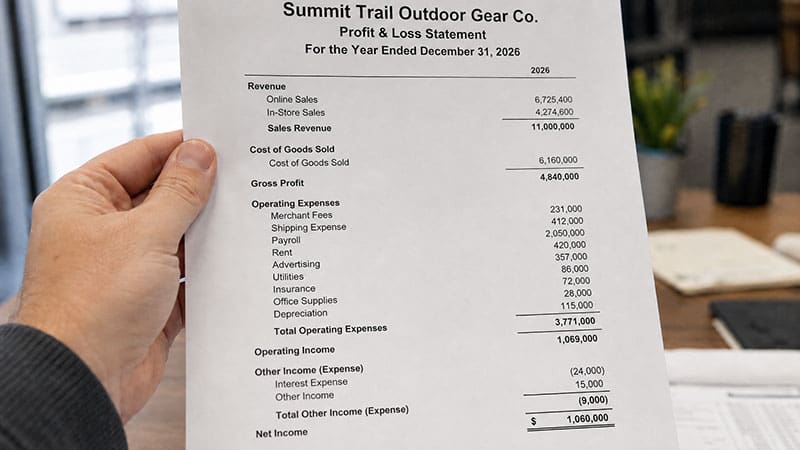
Gross margin is revenue minus the direct cost of what you sold, divided by revenue. Net margin subtracts everything else as well, including rent, wages, marketing, interest and tax. This calculator works in gross margin, which is the number that governs pricing decisions. Net margin is the number that tells you whether the business as a whole is profitable.
How do I calculate margin in Excel?
With cost in A2 and price in B2, enter =(B2-A2)/B2 and format the cell as a percentage. To set a price from a target margin in C2, use =A2/(1-C2). This page does the same across an entire product list and exports the finished sheet as Excel, PDF or CSV.
What price gives me a 50% margin?
Double the cost. A 50% margin means half of the selling price is profit, so a $12 cost has to sell for $24. Note that this is a 100% markup, not a 50% one, which is the single most expensive place to confuse the two terms.
Can profit margin be negative?
Yes. Any sale below cost produces a negative margin, and the percentage can exceed minus 100% when the cost is more than double the price. Loss leaders are sometimes priced this way on purpose, but a negative blended margin across the catalog means the business loses money on every additional unit it sells.
Is profit margin calculated before or after tax?
Gross margin, the figure this calculator produces, is before operating expenses, interest and tax. Net profit margin is calculated after all of them. When a lender or an investor asks for margin without qualifying it, they usually mean net margin, so confirm which one is being requested.