











GlassJar is cloud accounting software built for bookkeepers, accounting firms, and the small businesses they serve. Three things make it different for professional bookkeepers. Every transaction type is entered from one screen, so high-volume data entry stops meaning constant navigation.
One contact record can be a customer, vendor, and contractor at the same time, so a client who is also a supplier stops being two records. And each user picks which reports appear on their dashboard, so the reports a given client needs are the ones in front of you.

Most accounting software is designed for the business owner who uses it a few times a week. Bookkeepers use it all day. The difference shows up in the places you touch a hundred times a week: how many screens a transaction takes, whether the same business shows up twice in the books, and how far you have to scroll to find the report a client actually asked for.
Fewer Screens Matters More When It Is Your Job
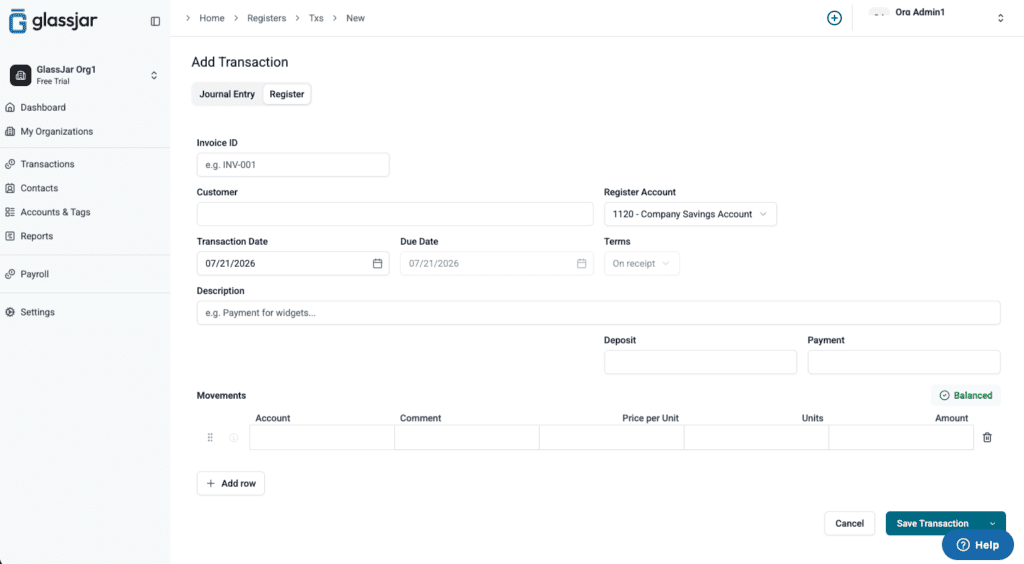
In most accounting software, a bill, an invoice, a check, and a journal entry each live on their own screen. For a business owner entering six transactions a week, that is a minor annoyance. For a bookkeeper entering six hundred, it is the job.
GlassJar puts every transaction type on one screen. Pick the type, enter it, move on. There is no menu to navigate between one transaction and the next, which removes a step you were repeating hundreds of times a month.
Most of the people reading this are coming from QuickBooks. The QuickBooks comparison covers the same three differences feature by feature.
One Contact, However Many Roles They Play
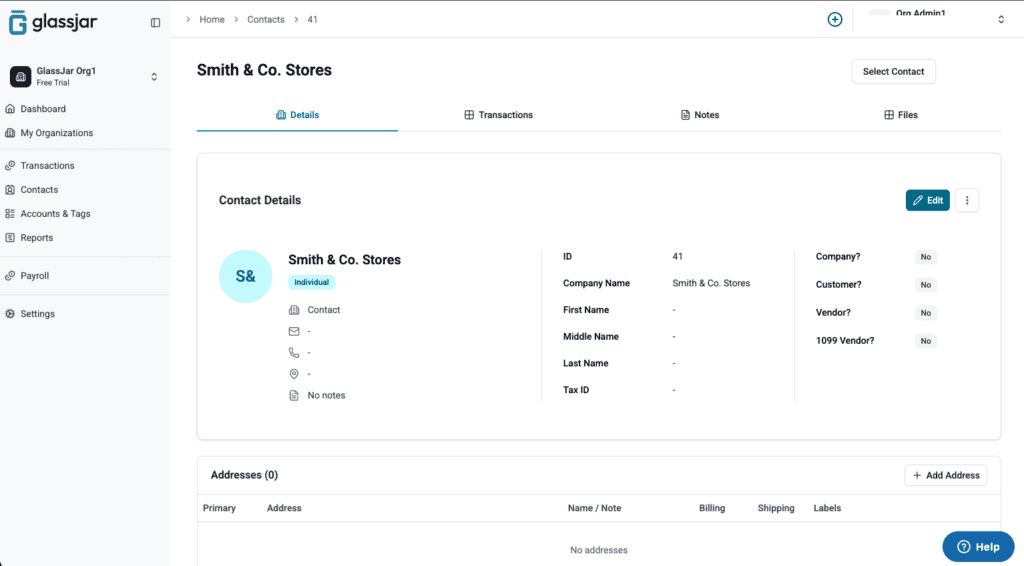
Small business books are full of businesses that sit on both sides of the relationship. The supplier who is also a customer. The contractor who buys from you. Most accounting software treats those as separate records, so you maintain two versions of one relationship and reconcile between them at period end.
GlassJar treats it as one contact. A single record can be a customer, a vendor, and a contractor at the same time. It also does not block duplicate names, because sometimes two different businesses genuinely share one, and the software arguing with you about it does not help.
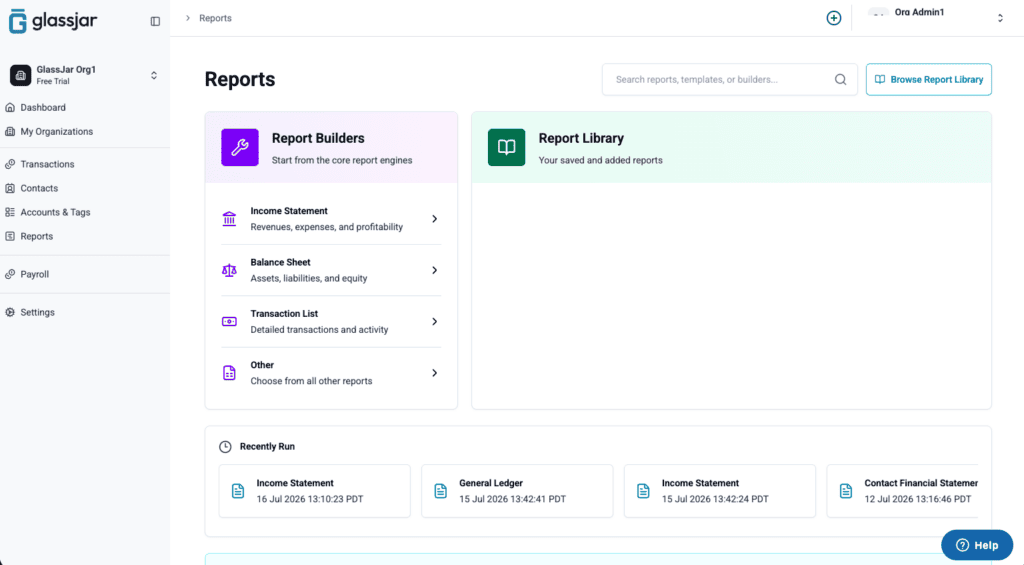
The Reports This Client Asked For, Not All Two Hundred
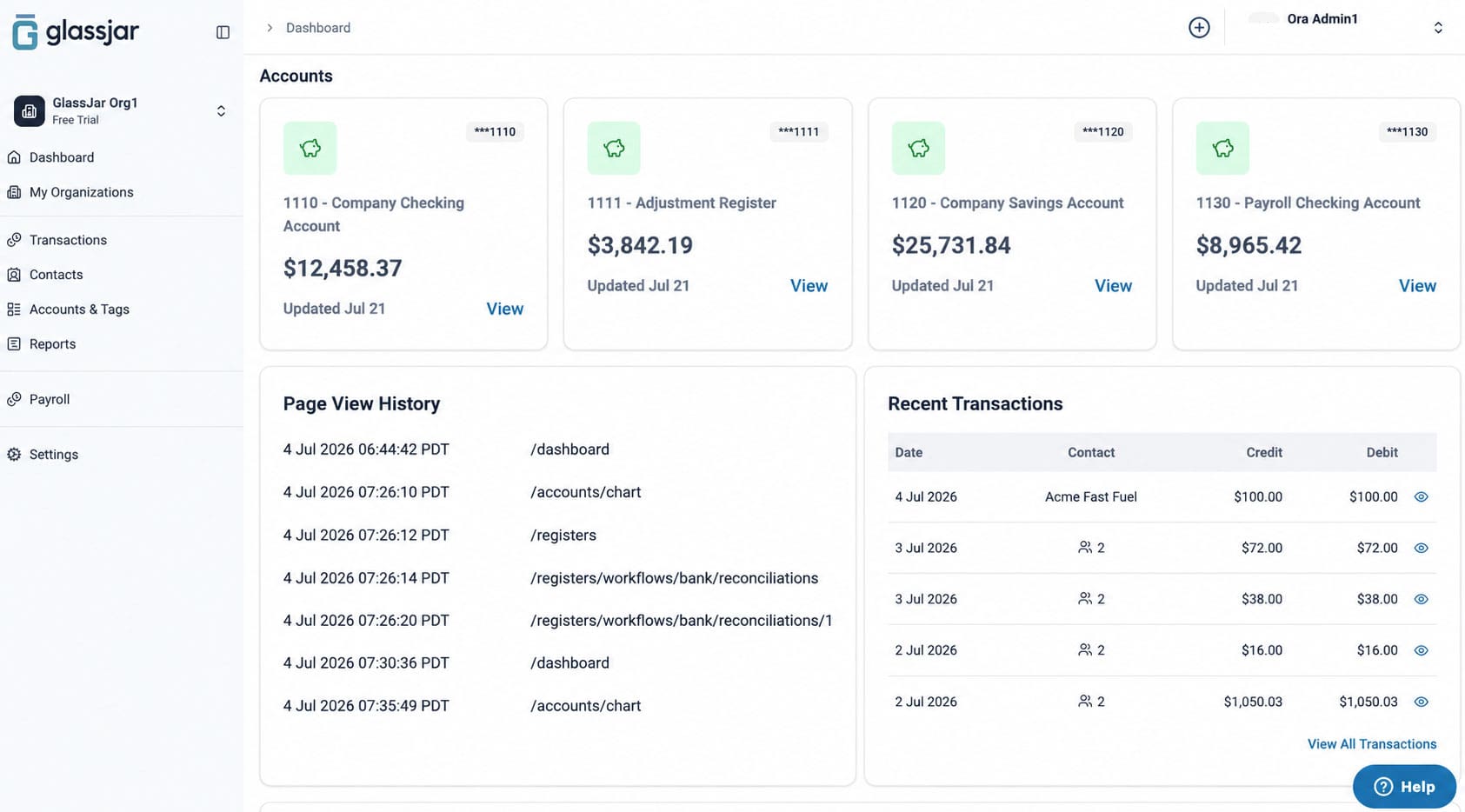
Every client wants something different. One wants a profit and loss statement and nothing else. One wants spending broken out by project every month. Most accounting software shows you the full report library every time and leaves you to find the ones that matter.
In GlassJar, each user chooses which reports appear on their dashboard. The reports you actually run for a given set of books are the ones you see, and the rest stay out of the way until you want them.

More Than One Set of Books
GlassJar supports multiple client organizations under one login. You switch between them from inside the app rather than signing out and back in, and each client’s books stay separate, with their own chart of accounts, contacts, and report library. A CPA firm works the same way, with each engagement kept in its own set of books and staff given only the access their role needs.
Because the report library is chosen per user rather than fixed, the reports you keep in front of you can differ from client to client. The retail client and the consultancy do not have to share a dashboard.
Working Alongside Your Client

Role-based permissions let you and your client work in the same books without either of you having access you should not. You can hand a client the ability to raise invoices without opening up the chart of accounts. Every plan includes a free seat for the CPA or bookkeeper, so nobody has to share a login.
Leave a note on a transaction and your client sees it the next time they are in the books, which is usually faster than the email you would otherwise send asking what a charge was for.
What GlassJar Does Not Do Yet
GlassJar is launching in January 2027, and it is worth being straight about scope. Payroll is not in the launch build. Neither are sales tax automation, paying contractors from GlassJar, inventory, or estimates. If your clients need those on day one, GlassJar is not the right fit yet.
What is there is double-entry accounting, bank feeds and reconciliation, invoicing, bills, expenses, budgeting, recurring transactions, custom tags, role-based permissions, and a report library you control.
Who This Is For
GlassJar suits a bookkeeper or firm whose day is mostly transaction entry, reconciliation, and client reporting, and who is tired of software that makes each of those take more steps than it should. That includes CPA firms. If you are looking for accounting software for a CPA firm rather than for a single business, the multi-client structure, the role-based permissions, and the per-user report library are the parts that matter most.
If you are looking for yourself rather than for clients, there are pages for freelancers, startups, and consultants and service businesses.
See What Fewer Screens Feels Like
Start a free 14-day trial. No credit card required.