











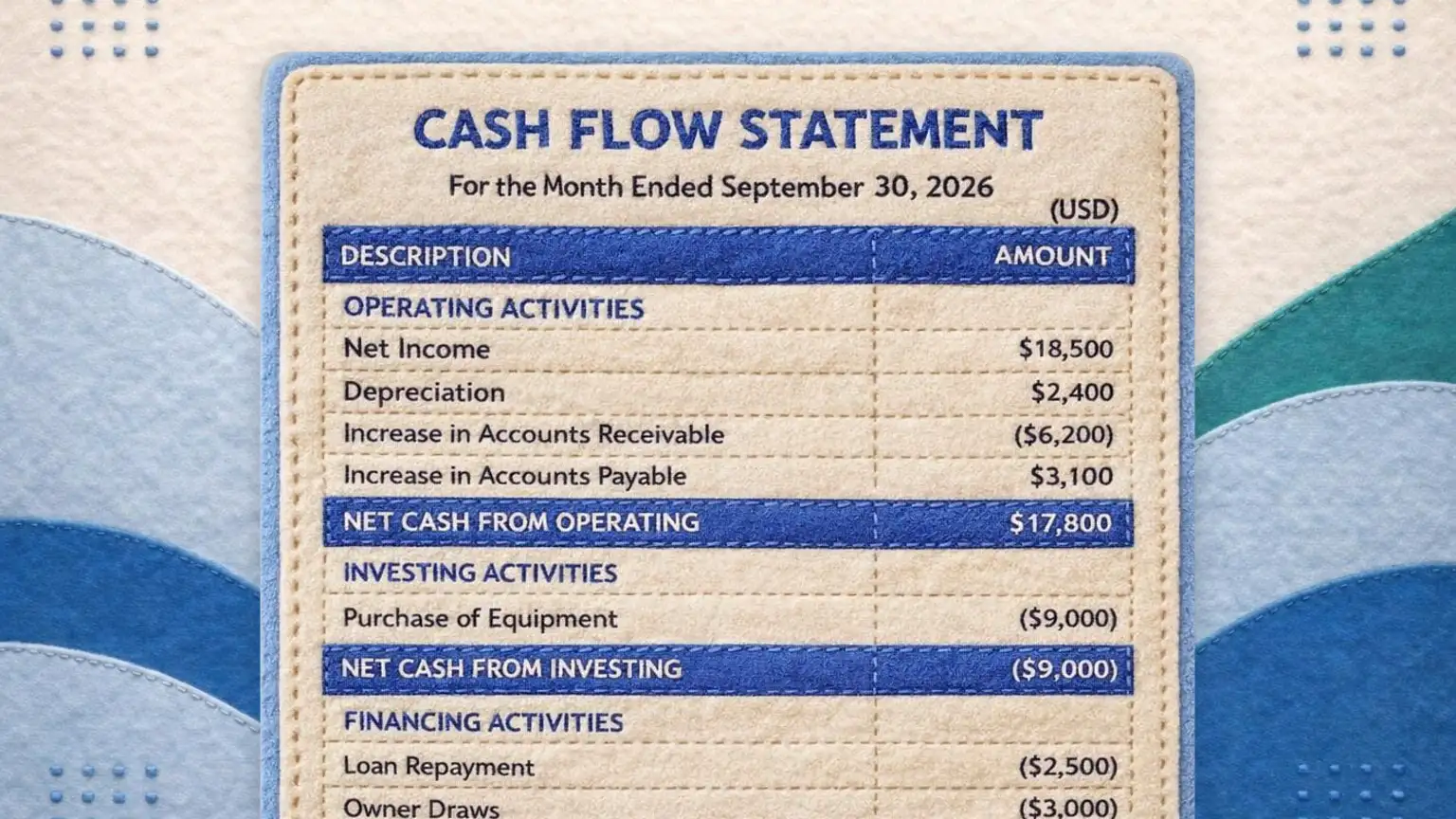


A cash flow statement explains the gap between the profit on your P&L and the money in your bank account. This one builds it from what you already have, which is two balance sheets and a net income figure, instead of asking you to work out how every account moved first. Enter the beginning and ending balances and it computes the changes, applies the signs, and produces a statement of cash flows using the indirect method. Then download it as a PDF, Excel, or CSV file. Everything runs in your browser, so your figures never leave your computer.
Leave the label blank and the statement uses the two dates.
Enter a net loss as a negative number, like -12,500 or (12,500).
Expenses that used no cash, such as a loss on an asset sale, are added back as positive numbers. Enter a gain on a sale as a negative number, since the cash from the sale is counted under investing.
These are transactions, not balances, so enter what actually moved during the period. Enter purchases and sales as positive numbers and the statement shows purchases as cash going out. Other lines take a sign: positive brings cash in, negative sends it out.
Enter the four lines above as positive numbers. Repayments and draws are shown as cash going out. Count only the principal of a loan payment here, because interest is already inside net income.
Your figures stay on your computer. This tool runs entirely in your browser. Every number and name you enter is processed on your own device and never reaches GlassJar. If you download a file, we receive your email address, the page address and, if you came from one of our ads, the ad click ID. We never receive the figures you enter.
See the full Tool Notice and Terms of Use.
What a cash flow statement actually tells you
Your profit and loss statement says whether you made money. Your balance sheet says what you own and owe on one particular day. Neither one tells you where the cash went, and that is the question most owners are actually asking when they look at a profitable month and a shrinking bank balance.
The cash flow statement answers it by starting at net income and walking through every reason cash moved differently from profit. An invoice you sent in March is profit in March and cash in May. Equipment you bought is cash out and barely touches profit. A loan payment moves cash and never appears on the P&L at all. The statement lines all of that up.
The indirect method, in plain terms
There are two accepted ways to build this statement. The direct method lists actual cash receipts and payments, which needs a level of transaction detail most small businesses cannot pull easily. The indirect method starts at net income and adjusts it, which needs only your financial statements. That is what this tool uses, and it is the method most small businesses use in practice.
The logic is short. Start at net income. Add back expenses that reduced profit but never moved cash, with depreciation the main one. Then adjust for every working capital account that changed, because a change in receivables, inventory or payables moves cash without moving profit.
What you need before you start
Three things, all of which you already have if your books are closed. A balance sheet as of the first day of the period. A balance sheet as of the last day of the period. Net income for the period, from your profit and loss statement.
Depreciation for the period helps and is usually on the P&L. Everything else the tool derives from the two balance sheets. If you already know the change in each account, switch to the second input mode and enter the changes directly.
Operating, investing and financing
Every cash movement belongs in one of three buckets, and getting the bucket right is most of what makes a cash flow statement correct.
Operating is the business doing its normal work. Sales collected, suppliers paid, wages, rent, interest. If an item runs through your P&L, or sits in current assets and current liabilities, it almost always lands here.
Investing is buying and selling long-lived things. A vehicle, equipment, a building, an investment. Buying is cash out, selling is cash in.
Financing is how the business is funded. Loan proceeds in, loan principal payments out, owner contributions in, owner draws and distributions out.
One common mistake is worth naming. A loan payment splits in two. The interest portion is operating and the principal portion is financing. They leave your account as a single number and they belong in different sections.
When the ending cash does not tie
The statement is right when the ending cash it calculates equals the cash on your ending balance sheet. The tool checks this and shows the size of any gap. It will not quietly plug the difference, because a plugged statement looks finished and is wrong.
When there is a gap, it is almost always one of three things. A balance sheet account moved during the period and is not among the lines you filled in, so compare the two balance sheets line by line and find the one you skipped. An investing or financing amount went in with the wrong sign. Or the two balance sheets are not actually consecutive, and net income covers a different period than the balance sheets bracket.
Cash flow statement or cash flow forecast
These get used interchangeably and they are not the same document.
A cash flow statement looks backwards. It explains a period that already happened, and it is one of the three primary financial statements alongside the P&L and the balance sheet. That is what this tool produces.
A cash flow forecast looks forwards. It projects money in and money out over coming weeks or months so you can see a shortfall before you hit it. If that is what you need, our free budget and cash flow workbook has a cash flow forecast tab alongside a budget and an expense tracker.
Who asks for this, and when
Lenders ask for it with a loan application, usually alongside two years of P&Ls and balance sheets, because it shows whether the business generates cash or merely reports profit. Investors ask for the same reason. Your accountant will produce one at year end if your books warrant it. A buyer will want several years of them.
The rest of the time the useful audience is you. Running it once a quarter tells you whether the profit you are reporting is turning into money, and if it is not, which account is absorbing it.
This tool does arithmetic on the figures you give it. It does not decide whether an item belongs in operating, investing or financing, or whether your books are right. Classification involves judgment and the treatment of a given item can vary with the facts. Review the result with a qualified accountant before you give it to a lender or an investor. The specifics are in the tool notice.
Frequently Asked Questions
What is a cash flow statement?
A cash flow statement, also called a statement of cash flows, shows how cash moved in and out of a business over a period of time, split into operating, investing and financing activities. It is one of the three primary financial statements, alongside the profit and loss statement and the balance sheet. It reconciles the profit you reported to the cash you actually have.
What is the difference between the direct and indirect method?
The direct method lists actual cash receipts and cash payments. The indirect method starts at net income and adjusts it for non-cash items and changes in working capital. Both produce the same bottom line. The indirect method is used by most small businesses because it can be built from financial statements you already have, which is why this tool uses it.
Why is my net income different from my cash?
Profit and cash move on different timetables. Revenue counts when you invoice, not when the customer pays, so growing receivables absorb cash. Inventory you bought is cash out that has not hit profit yet. Depreciation reduces profit without moving cash at all. Equipment purchases and loan principal payments move cash and never appear on the profit and loss statement. The cash flow statement itemizes each of these differences.
What do I need to fill this in?
Two balance sheets, one at the start of the period and one at the end, plus net income for the period from your profit and loss statement. Depreciation for the period is helpful and is usually on the profit and loss statement. The tool computes the change in each account from the two balance sheets, so you do not need to work the changes out yourself.
Why does an increase in accounts receivable reduce cash?
Because the sale is already in your net income but the money has not arrived. If receivables grew by $10,000 over the period, $10,000 of the profit you reported is still sitting with your customers rather than in your bank account, so it is subtracted. When receivables fall, the opposite applies and cash goes up.
Is this a cash flow forecast?
No. This builds the historical statement for a period that has already happened, which is what a lender or accountant means by a cash flow statement. A forecast projects cash in and out for coming months. If you need a forecast, the free GlassJar budget and cash flow workbook has a cash flow forecast tab.
Is my data saved or sent anywhere?
Every figure you enter is processed in your browser and never reaches GlassJar. If you turn on Save my work, your entries are stored only in this browser. There is no account to create. Files you download are generated on your own device. If you download a file, we receive your email address, the page address and, if you came from one of our ads, the ad click ID. We never receive the figures you enter.