











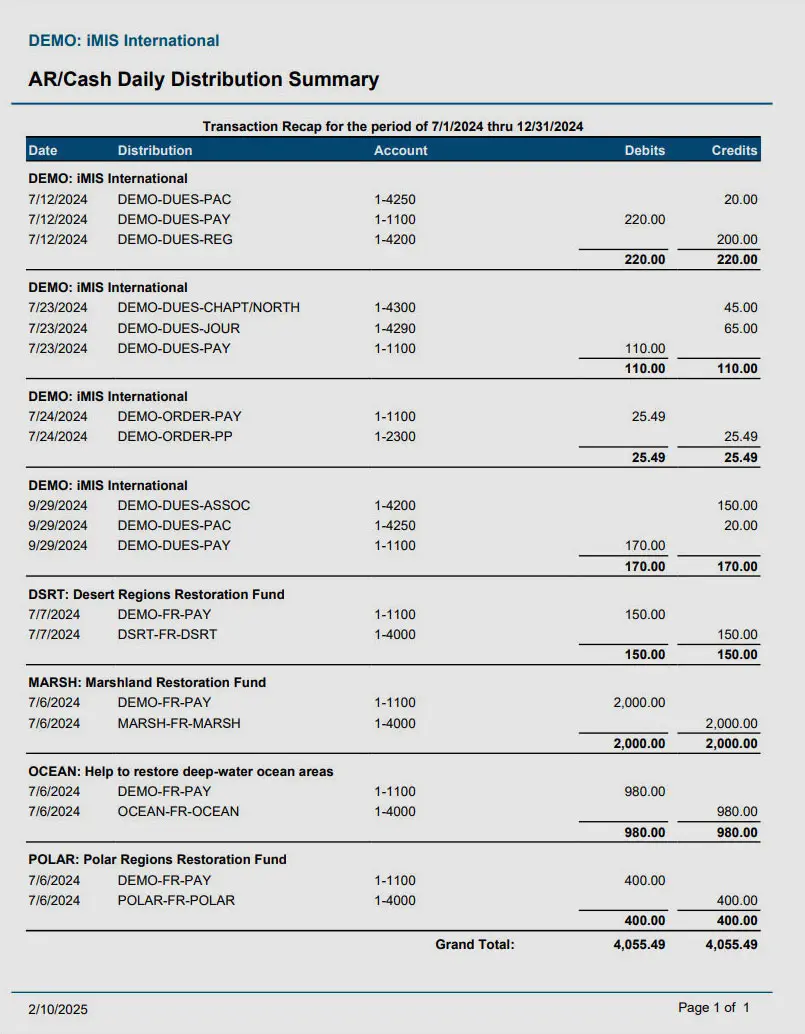
The Vendor Details Report in GlassJar provides a complete, transaction-level overview of all financial activity associated with each vendor in your accounting system. Unlike summary reports that show total expenses or balances, the Vendor Details Report breaks down every bill, payment, credit, and adjustment made to a vendor. It allows businesses to view exactly when and how much was paid, what the payments were for, and whether there are any outstanding amounts.
Available Data
- Vendor Name
- Vendor Email
- Vendor Address
Available Filters & Sorting
- Date Added
- Vendor Name
- Vendor Address
Available Totals
- Vendor Count
COMING SOON
What Is the Vendor Details Report?
This report is especially useful for companies that manage numerous vendor relationships, handle recurring expenses, or have compliance obligations requiring full audit trails. The report shows more than just totals; it reveals the full lifecycle of each interaction—from bill creation to final payment. Each row in the report represents a specific transaction and includes key details such as the vendor name, transaction ID, date, reference number, amount, and payment status.
GlassJar’s Vendor Details Report ensures that accounts payable teams, finance leads, and business owners all have access to consistent, reliable data for vendor management, budgeting, and audit readiness.
How the Vendor Details Report Supports Vendor Management
Managing vendor relationships requires more than just knowing how much you’ve spent. It demands a detailed understanding of each transaction over time. The Vendor Details Report enables businesses to track payment behavior, monitor outstanding obligations, detect discrepancies, and support negotiations with accurate financial documentation.
It allows your team to answer essential questions like:
- Have we paid all outstanding vendor bills?
- Are there any duplicate or delayed payments?
- What was the original amount and payment date for each invoice?
- Are we being billed consistently according to contract terms?
Because the report tracks both paid and unpaid bills, as well as applied credits and adjustments, it provides a 360-degree view of your vendor activity. This makes it easier to resolve payment disputes, review contractual obligations, and analyze vendor reliability or pricing fluctuations.
Navigating and Using the Vendor Details Report in GlassJar
Accessing the Vendor Details Report in GlassJar is straightforward. Within the Reports dashboard, users can find the report under the “Vendors & Payables” section. Once selected, the system will prompt you to choose a reporting period—monthly, quarterly, year-to-date, or a custom date range. You can also choose to filter the report by vendor, category, payment status, or transaction type.
The main columns of the report include:
- Vendor name
- Transaction type (bill, payment, credit, refund)
- Transaction ID
- Date and due date
- Amount
- Amount paid
- Outstanding balance
- Payment method
- Reference number
- Status (paid, partially paid, unpaid)
Additional fields can be included depending on how your business uses custom tags or project codes. For example, companies that assign bills to departments, locations, or job codes can add those fields to the report for enhanced segmentation.
The report can be sorted and filtered on-screen, and it can be exported to PDF, Excel, or CSV for internal reviews, audit preparation, or documentation purposes. Clicking into any row of the report opens the full transaction record, including any attachments such as scanned bills, notes, or contract files.
When to Use the Vendor Details Report
During Monthly or Quarterly Reconciliation
Each accounting period, finance teams must confirm that all vendor bills have been recorded and paid appropriately. The Vendor Details Report provides a granular, date-stamped history of each vendor transaction. It serves as the single source of truth for reviewing whether all entries match the general ledger, ensuring completeness and accuracy before closing the books.
When Preparing for an Audit
Whether for internal, external, or regulatory audits, businesses are often required to show vendor transaction history, including bill approvals, payment records, and outstanding obligations. The Vendor Details Report satisfies this requirement by consolidating all vendor activity in a searchable and exportable format. Auditors can review the entire transaction history for a specific vendor without requiring access to multiple systems or modules.
Resolving Payment Disputes
If a vendor claims that an invoice hasn’t been paid or that a payment was misapplied, the Vendor Details Report provides a full payment trail. You can see when a bill was entered, when payment was issued, how much was applied, and the remaining balance. This information helps you respond confidently, with full supporting documentation, reducing conflict and improving vendor communication.
Analyzing Vendor Performance and Spending
Over time, the Vendor Details Report can highlight patterns in vendor charges, discounts, billing errors, or inconsistencies. If a vendor’s charges have increased suddenly or billing frequency has changed, this report provides the evidence needed for a deeper investigation or renegotiation of terms. It also reveals whether vendor-specific spending aligns with contract expectations.
Managing Project-Related Vendor Costs
Businesses in construction, marketing, and other project-based industries often associate vendor charges with specific jobs. The Vendor Details Report can be filtered by job or project code to display all bills and payments linked to a particular initiative. This allows project managers to assess actual costs, stay within budget, and verify that all bills have been appropriately tagged and recorded.
Supporting Cash Flow Planning
By showing due dates and outstanding balances across all vendors, this report assists in forecasting cash outflows. Finance teams can use it to prioritize payments, avoid late fees, and manage payment schedules based on available cash. It also helps in identifying long-term liabilities and recurring charges that should be factored into future budgets.
Similar Accounting Reports in GlassJar
Expenses by Vendor Report
While the Vendor Details Report shows individual transactions, the Expenses by Vendor Report summarizes total spending per vendor over a selected time period. It’s useful for identifying which vendors receive the most spend and for comparing cost trends across suppliers. The two reports work well together—use the summary to find high-expense vendors and the details report to dig into the transaction-level data.
Accounts Payable Aging Report
This report shows unpaid vendor bills grouped by how long they’ve been outstanding—usually in buckets such as 0–30, 31–60, 61–90, and over 90 days. It’s focused on open balances and helps prioritize which vendors should be paid first. When used with the Vendor Details Report, it helps ensure all unpaid obligations are accounted for.
Vendor Balance Summary
This report provides a snapshot of each vendor’s current balance, including total owed, credits available, and overdue amounts. It’s faster to read than the Vendor Details Report but doesn’t include transaction history. Use the Vendor Balance Summary to monitor account status and the Vendor Details Report to audit specific activity.
Bill Payment History Report
This report lists all payments made to vendors during a set period, including the bills they were applied to and payment methods used. It offers a focused view of outflows and supports cash flow planning and reconciliation. It’s ideal for verifying payment timing and method but doesn’t include unpaid or open bills, which are covered in the Vendor Details Report.
Vendor Contact List
While not financial in nature, the Vendor Contact List report includes vendor names, email addresses, phone numbers, and other profile details. It complements the Vendor Details Report by ensuring your contact database is accurate and updated for communication or account resolution needs.
Customizing the Vendor Details Report
GlassJar allows extensive customization of the Vendor Details Report to match the specific needs of your business. Filters can be applied for:
- Specific vendors or vendor types
- Transaction types (bills, payments, credits)
- Payment status (paid, unpaid, partially paid)
- Bill categories or general ledger accounts
- Project or job code
- Location, department, or class (if enabled)
You can sort the data by vendor name, transaction date, due date, or balance to support internal reporting workflows. For example, an accounts payable clerk may use the report to focus on upcoming due bills, while a controller may focus on large-value transactions for the quarter.
For added clarity, users can choose whether to include columns such as memo fields, approval status, PO number, or attachments indicator. This provides greater flexibility for organizations that require strict documentation or that operate under approval workflows.
Recurring reports can be saved and scheduled for automatic delivery. This is especially useful for companies that require regular transaction reviews, vendor audits, or monthly payable summaries. Permissions can be adjusted so that only authorized users—such as finance leads or department managers—can access detailed vendor data.
The Vendor Details Report in GlassJar is a foundational tool for managing the financial side of your vendor relationships. It supports transparency, precision, and compliance by offering an up-to-date, line-by-line record of all interactions with your suppliers. It equips your team to plan better, avoid errors, and maintain clear vendor communications backed by reliable data.