














To properly manage the finances of a business requires much more than simply entering financial transactions as they occur. Standardized financial systems and processes need to be run on a timely basis with adequate oversight to meet the expectations of business owners, lenders and accountants for transparency and efficiency.
For small businesses with a lean operation, as well as those with small teams and an outside bookkeeper, it is important to implement a set of accounting best practices to ensure accurate financial reporting and to maintain records that can be easily reviewed. This will help keep a business ready for tax season as well as for inquiries from lenders and others with questions about the business’s finances.
Best accounting practices refer to consistent, repeatable procedures used to track, classify, report and audit financial data. Such procedures enable a business to manage risk effectively, remain compliant with regulations and enable management to take corrective action before it is too late.
This guide covers accounting techniques used in many industries to remain compliant, reduce human error and make better decisions with accounting numbers. It includes structuring a useful chart of accounts, automating repetitive work, moving beyond spreadsheets and setting up a business so the accounting can grow with the business.
Key Takeaways
- A chart of accounts organized by department, region, or function lets you isolate financial activity in each part of the business.
- Reports that pull from one consistent chart of accounts produce cleaner statements your CPA or external auditor can review.
- Look for software that flags overdue invoices so follow-up does not rely on memory.
- When data flows into a single platform such as GlassJar, there is a clear record of who did what and when.
- Spreadsheets are easy to corrupt and hard to audit, and a single formula or cell reference error can cascade unnoticed.
Building a Strong Chart of Accounts

A chart of accounts (COA) is the foundation of all financial reporting, because the chart of accounts sorts every transaction into clearly defined categories such as revenue, expenses, assets, liabilities and equity. Those categories allow transactions to be tracked and analyzed in a consistent way from one period to the next, and without a clear chart of accounts even good software and capable staff are not able to produce clean reports or documentation that is ready for an audit.
Why Account Segmentation Matters
Organizing the chart of accounts by department, region or function is an important step toward improving visibility across the business, since segmentation of this kind isolates the financial activity of each part of the organization. With segmented accounts, the performance of one office can be compared against the performance of another office, and the most profitable product line can be identified from the reports rather than estimated. GlassJar’s custom tags let you label transactions by team, project or location, so you can see how each part of the business is doing.
Connecting Chart Structure to Reporting
This type of detailed segmentation also contributes to the best practices of financial reporting. The consistency with which a chart of accounts is used in reports creates cleaner financial statements that can be reviewed by a CPA or outside auditor in short order. When an annual report is prepared, the same consistent chart of accounts can be used to provide accurate comparative data and breakdown of operating costs that can be understood by lenders and tax preparers alike.
COA for New Businesses and Non-Accountants
For new owners, the chart of accounts is the internal financial language of the company. When there are different terms or different accounts for the same activity, communication about the financial results of the company breaks down. When every person who works in the books of the company uses the same chart of accounts, the reports become more useful, audits involve less disruption, and planning can be based on figures that mean the same thing to everyone involved.
Automating Everyday Accounting Tasks

Manual accounting processes become harder to sustain as a business grows, because the volume of data entry, invoice tracking, payroll runs and reconciliations increases with every new customer, vendor and employee. Automation of these tasks is therefore treated as a core part of modern accounting best practices rather than as a convenience that can be added later.
Streamlining Accounts Payable and Receivable
Invoicing software allows for the creation of invoices to send out to customers and track whether they have been paid. It is preferable to use software that flags overdue invoices, rather than relying on the memory of staff to follow up on these. In GlassJar, the recurring transactions allow for repeat invoices to be set up once and then regular billing can continue automatically.
Automating accounts payable can help companies prevent late payments, duplicate entries and missed vendor discounts. In addition, scheduling payments in advance and sending out reminders to pay vendors on time can help a company track its expenses as they are incurred. This helps companies reduce audit risk and strengthen their internal controls.
Handling Payroll With a Dedicated Provider
Another area where automation can provide clear benefits is with Payroll. Many small businesses use a payroll service provider to calculate taxes and deductions and to make timely payroll tax payments. Using a payroll service provider can help to reduce errors and meet labor and tax obligations. However, even with the help of a payroll service provider, each payroll run should still be recorded in the business’s books as an expense.
Data-Driven Planning With a Budget
When setting up your business, you should look for accounting software that includes a budgeting feature. This will allow you to compare your actual results to your budget on a single dashboard, rather than having to create reports for comparison. This will allow you to make monthly or quarterly reviews of your budget much quicker and more accurate.
Audit Readiness Through Automated Systems
Automated processes promote consistency, reduce human error, and provide the basis for audit best practices. Financial data entered into one system (GlassJar) can be traced to each individual who entered it and when they entered it. This provides an audit trail for internal control purposes and for your CPA’s review.
Eliminating Spreadsheets and Error

Spreadsheets are flexible, but spreadsheets remain one of the larger sources of risk in small business accounting because a spreadsheet is easy to corrupt, difficult to audit and highly exposed to user error. As a business grows, reliance on spreadsheets for financial tracking, forecasting or reporting becomes increasingly difficult to justify.
The Problem With Manual Spreadsheet Work
Errors in a formula, cell reference or logic can carry through the rest of the spreadsheet without being noticed. A missing row, a misplaced decimal or an overwritten value can have a huge impact on a report. Such errors are hard to find and even harder to correct when the spreadsheet is reused for several periods. Inconsistencies found by a CPA in financial statements prepared from spreadsheets often lead to hours of backtracking that can be very time consuming and resource consuming for both parties involved.
Spreadsheets Aren’t Real-Time
Spreadsheets are also static files which contain data entered at a specific point in time and therefore do not automatically include new transactions from bank feeds, reconcile items as entered, and update as the general ledger is updated. Therefore, reports based on spreadsheets lag behind the actual financial position of a business. An expense received after the monthly close, for example, will not be reflected in the spreadsheet until it is entered manually.
GlassJar Replaces Spreadsheet Dependency
GlassJar addresses these problems by keeping all of your financial data in one platform. Financial statements are built from your live books, and bank transactions come in through Plaid, which cuts the delays and mismatches that come with spreadsheet reporting. Unlike a spreadsheet, every transaction and journal entry in GlassJar is tied to a date and a user in the activity trail, which makes your books much easier to review.
Scalability and Collaboration Issues

Spreadsheets do not support collaborative accounting well at scale. Version control becomes difficult, user access is hard to manage, and the risk of overwriting key data increases with every team member who is given access to the file. As a team grows, the absence of a centralized accounting system leads to confusion, delays and errors that affect every reporting task from the monthly close to year-end reporting.
Bringing Structure to Growth
As organizations expand their operational capabilities, consistency in financial processes is critical to achieving increased organizational stability. The internal financial processes that exist throughout the entire spectrum of financial management (from bookkeeping to reporting to owners) are a key element to how an organization functions, how the organization builds credibility with external stakeholders, and how decisions can be made utilizing data.
When automation, segmentation and standardization are built into your financial workflows, your team saves time and keeps the books accurate and compliant, in a form that matches what your CPA, lender and partners expect to see. A system like GlassJar gives you that financial backbone, which supports steady growth and keeps audit risk low.
Maintaining Clean Financial Statements
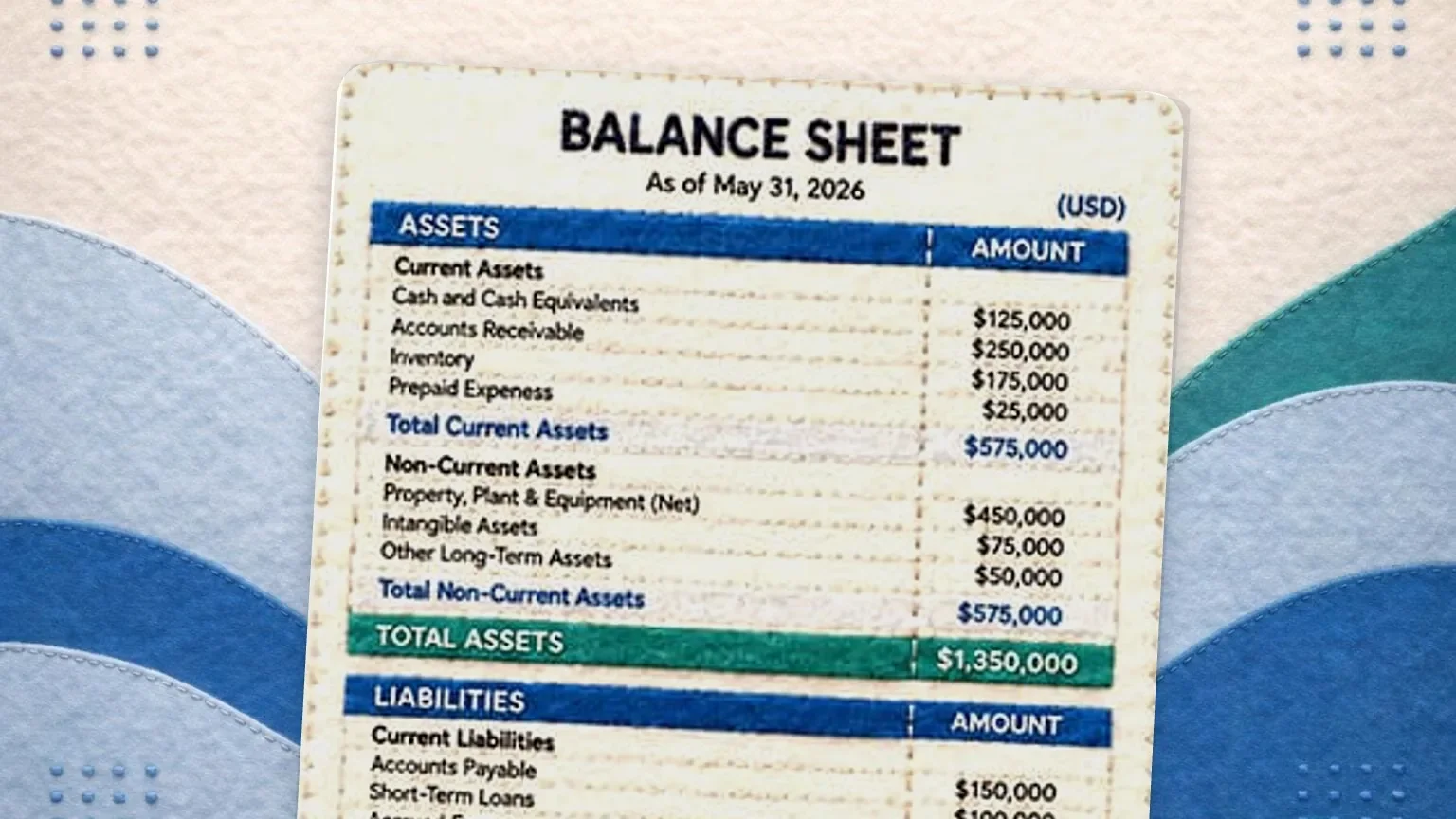
The financial statements are only as good as the underlying data and the way that data was put together. Income statements, balance sheets and cash flow statements must be produced using consistent timing, classification and reconciliation. If the financial statements are not compiled consistently and are not clearly documented, then the chance of making a misstatement increases.
There should be a set schedule for the month-end close and clear responsibilities of the owner and the bookkeeper. All transactions need to be recorded in the correct period and all revenue and expenses need to be accurately recorded for that period as well. A consistent monthly close will support quarterly and annual financial statements that are accurate and defensible, particularly when a CPA reviews the business’s financial records.
Best Practices for Reconciliations and Adjustments

Reconciliation of accounts serves a wider purpose than catching errors, because reconciliation verifies that the financial records of the business agree with bank statements, payroll systems and credit card processors. A regular schedule of reconciliations, particularly for high-volume accounts such as cash, accounts receivable and accounts payable, helps prevent fraud, reduces financial risk and identifies mistakes before the mistakes become systemic. Several reconciliation tasks are commonly delegated, so a review of what a small business accountant does is useful before any of the reconciliation work is handed over.
Many businesses still wait until the end of a quarter to reconcile key accounts, and that delay makes outdated or inaccurate reporting more likely. With bank connections through Plaid, GlassJar brings transactions in for you to review, so reconciliations can happen monthly or even weekly instead of quarterly, and problems show up sooner. That fits auditing best practices and makes the books more transparent for everyone inside and outside the business.
The Role of the CPA in Best Practice Oversight
A CPA’s work is not limited to tax season. Often the CPA can be an important partner in validating accounting policies, in improving internal controls and in verifying that accounting systems comply with GAAP or IFRS as required by the business. As the business grows, the CPA also can be very helpful in establishing policies for revenue recognition, for depreciation and for amortization as well as for bad debt reserves, each of which has an impact on the financial statements and on reporting for the business.
With GlassJar’s report library, your CPA can pull the standard reports they need. Every plan includes a free seat for your CPA or bookkeeper to review your books within GlassJar. This means that at tax time, your CPA can work much more efficiently using an accounting system that follows standard conventions and best practices.
Audit Preparation as a Continuous Process

A review of the books can be requested at any time, particularly when the business applies for a loan or responds to a question from the IRS. Well-run businesses treat audit readiness as a process that continues throughout the year rather than as a task left until the last minute. Continuous audit readiness includes logging every journal entry with proper documentation, keeping supporting records for large or unusual transactions, and setting controls over which users are allowed to create, edit or approve changes in the accounting system.
GlassJar keeps an activity trail for every transaction and lets you assign roles and permissions that control who can see and change what in your books, which lowers the risk of an unauthorized change going unnoticed.
Year-End Reporting and Lender Confidence
Year-end financial statements provide additional value for a company’s lenders, business partners and the CPA firm of the business in building trust. Such statements should maintain consistent groupings of accounts from year to year, identify major events or transactions that occurred throughout the year, and present detailed explanations of each source of revenues and liabilities.
With GlassJar, year-end statements come straight from the report library, so you or your bookkeeper can pull reports on operations, profitability and long-term financial position without a lot of rework or reformatting.
Scaling Your Accounting Infrastructure
As an organization grows, the accounting environment of the organization becomes more complex, and new locations, new revenue streams and new tax jurisdictions each require processes and systems that can scale. Without a strong foundation, growth tends to amplify existing problems in oversight, compliance and reporting, and accounting best practices adopted early in the life of a business protect the business from disorganized financial operations at a later stage.
GlassJar can scale as your business grows. Users can add reports to their own personal dashboard, and roles can be set up to determine what each user can see and do within the software. GlassJar supports the daily workflows of a small team and their bookkeeper in order to bring consistency to their routine accounting activities.
Ongoing Education and Training
The accounting systems and software that a business uses are only as good as the people that use them. Therefore, the owner of the business and any other staff members that deal with the books of the business need to be updated on accounting standards and compliance requirements on a regular basis as well as how to use the accounting software. This education can include updates to GAAP, IRS reporting thresholds and reinforcement of good bookkeeping practices to help reduce risk and ensure that the business is compliant with current regulations.
GlassJar’s help documentation walks through each part of the system so your team stays confident using it. When you set up clear routines, anyone involved with bookkeeping can help keep the records precise, reports up to date, and documentation on hand for whenever someone needs to look things over.