













Managing the financial side of a business requires more than just recording transactions. It calls for standardized systems, timely processes, and strategic oversight that align with today’s expectations for transparency and efficiency.
If you run a lean operation as a founder or work with a small team and a bookkeeper, applying accounting best practices keeps your reporting accurate, your records easy to review, and your business ready for anything from tax season to a lender’s questions.
At its core, accounting best practices are the consistent and repeatable procedures used to track, classify, report, and audit financial data. These practices help businesses reduce risk, stay compliant with regulations, and gain real-time insight into performance. By adopting these methods, your books move from reactive bookkeeping to proactive financial management.
This guide outlines proven techniques used across industries to maintain compliance, reduce human error, and improve strategic decision-making. You’ll learn how to structure a useful chart of accounts, automate repetitive tasks, move beyond spreadsheets, and set up your organization for scalable success.
Key Takeaways
- A chart of accounts organized by department, region, or function lets you isolate financial activity in each part of the business.
- Reports that pull from one consistent chart of accounts produce cleaner statements your CPA or external auditor can review.
- Look for software that flags overdue invoices so follow-up does not rely on memory.
- When data flows into a single platform such as GlassJar, there is a clear record of who did what and when.
- Spreadsheets are easy to corrupt and hard to audit, and a single formula or cell reference error can cascade unnoticed.
Building a Strong Chart of Accounts

A chart of accounts (COA) is the foundation of all financial reporting. It categorizes your transactions into clearly defined buckets, such as revenue, expenses, assets, liabilities, and equity, that allow for consistent tracking and analysis. Without a clear COA, even the best software or talent won’t be able to produce clean reports or audit-ready documentation.
Why Account Segmentation Matters
Organizing your COA by department, region, or function is a critical step toward improving visibility across the business. This kind of segmentation helps you isolate financial activity in each part of the organization. You can see how one office performs versus another, or understand which product line is the most profitable. GlassJar’s custom tags let you label transactions by team, project, or location, so you can see how each part of the business performs.
Connecting Chart Structure to Reporting
This level of granularity also plays a key role in implementing financial reporting best practices. When reports pull from a consistent chart of accounts, they provide cleaner financial statements that your CPA or external auditor can review quickly. It also helps when preparing your annual report, offering accurate comparative data and a breakdown of operational costs in a way your lender or tax preparer can follow.
COA for New Businesses and Non-Accountants
For those who are new to the concept, think of the COA as your company’s internal financial language. If every team uses different terms or accounts, communication breaks down. But when everyone who touches the books works from the same COA, reports become more useful, audits are less stressful, and planning becomes more strategic.
Automating Everyday Accounting Tasks

Manual accounting processes don’t scale well. As your business grows, it becomes harder to keep up with data entry, invoice tracking, payroll runs, and reconciliations. Automating these tasks is not just a matter of convenience. It’s a key part of modern accounting best practices.
Streamlining Accounts Payable and Receivable
Invoicing software can create invoices, send them, and track what has been paid. Look for software that flags overdue invoices so follow-up does not rely on memory. In GlassJar, recurring transactions let you set up repeat invoices once, so regular billing does not depend on someone remembering it.
For accounts payable, automation helps avoid late payments, duplicate entries, and missed vendor discounts. Scheduled payments and smart reminders ensure that vendors are paid on time and that expenses are recorded immediately. These are core components of a reliable AP workflow that reduces audit risk and improves internal controls.
Handling Payroll With a Dedicated Provider
Payroll is another area where automation pays off. Many small businesses use a dedicated payroll provider that calculates deductions and files payroll taxes on schedule. This reduces errors and helps you meet labor and tax obligations. Record each payroll run in your books so your expenses stay complete.
Data-Driven Planning With a Budget
At a planning level, good software supports budgeting. Instead of pulling together fragmented reports, you can compare actual results against your budget on one dashboard. This improves the speed and quality of decisions, especially when you sit down for a monthly or quarterly budget review.
Audit Readiness Through Automated Systems
Beyond convenience, automated processes ensure consistency, reduce human error, and support auditing best practices. When data flows into a single platform like GlassJar, there’s a clear record of who did what and when, which supports internal controls and any review by your CPA.
Eliminating Spreadsheets and Error

Despite their flexibility, spreadsheets remain one of the biggest risks in business accounting. They’re easy to corrupt, difficult to audit, and highly susceptible to user error. As businesses grow, relying on spreadsheets for financial tracking, forecasting, or reporting becomes increasingly problematic.
The Problem With Manual Spreadsheet Work
Errors in formulas, cell references, or logic can cascade through a spreadsheet without being noticed. A missing row, misplaced decimal, or overwritten value can distort entire sections of a report. These issues are hard to trace and even harder to fix. If your CPA finds inconsistencies in your financial statements, it often leads to hours of backtracking, wasting both time and resources.
Spreadsheets Aren’t Real-Time
Another key drawback is the lack of real-time data. Spreadsheets are static snapshots. They don’t pull in new transactions from bank feeds, reconcile entries automatically, or update based on changes to the general ledger. This creates lag in your reporting and limits your ability to act on fresh information. If an expense comes in after your monthly close, your spreadsheet stays out of date until someone manually updates it.
GlassJar Replaces Spreadsheet Dependency
GlassJar addresses these challenges by keeping all financial data in one platform. With financial statements built from your live books and bank transactions that come in through Plaid, it cuts the delays and discrepancies caused by spreadsheet-based reporting. And unlike spreadsheets, every transaction and journal entry is tied to a date and user in the activity trail, which makes your books easier to review.
Scalability and Collaboration Issues

Spreadsheets can’t support collaborative accounting at scale. Version control becomes difficult, user access is hard to manage, and the risk of overwriting key data increases with every team member added to the file. As your team grows, a lack of centralized systems leads to confusion, delays, and errors that affect everything from monthly close to year-end reporting.
Bringing Structure to Growth
Implementing consistent accounting systems gives your organization the ability to scale operations with confidence. From bookkeeping practices to owner reporting, your internal finance structure plays a central role in how your business operates, earns trust, and makes data-backed decisions.
By embedding automation, segmentation, and standardization into your financial workflows, your team will not only save time but also ensure compliance, improve accuracy, and follow best practices that match what your CPA, lender, and partners expect. With a system like GlassJar, you build the financial backbone that supports sustained growth and minimizes audit risk.
Maintaining Clean Financial Statements
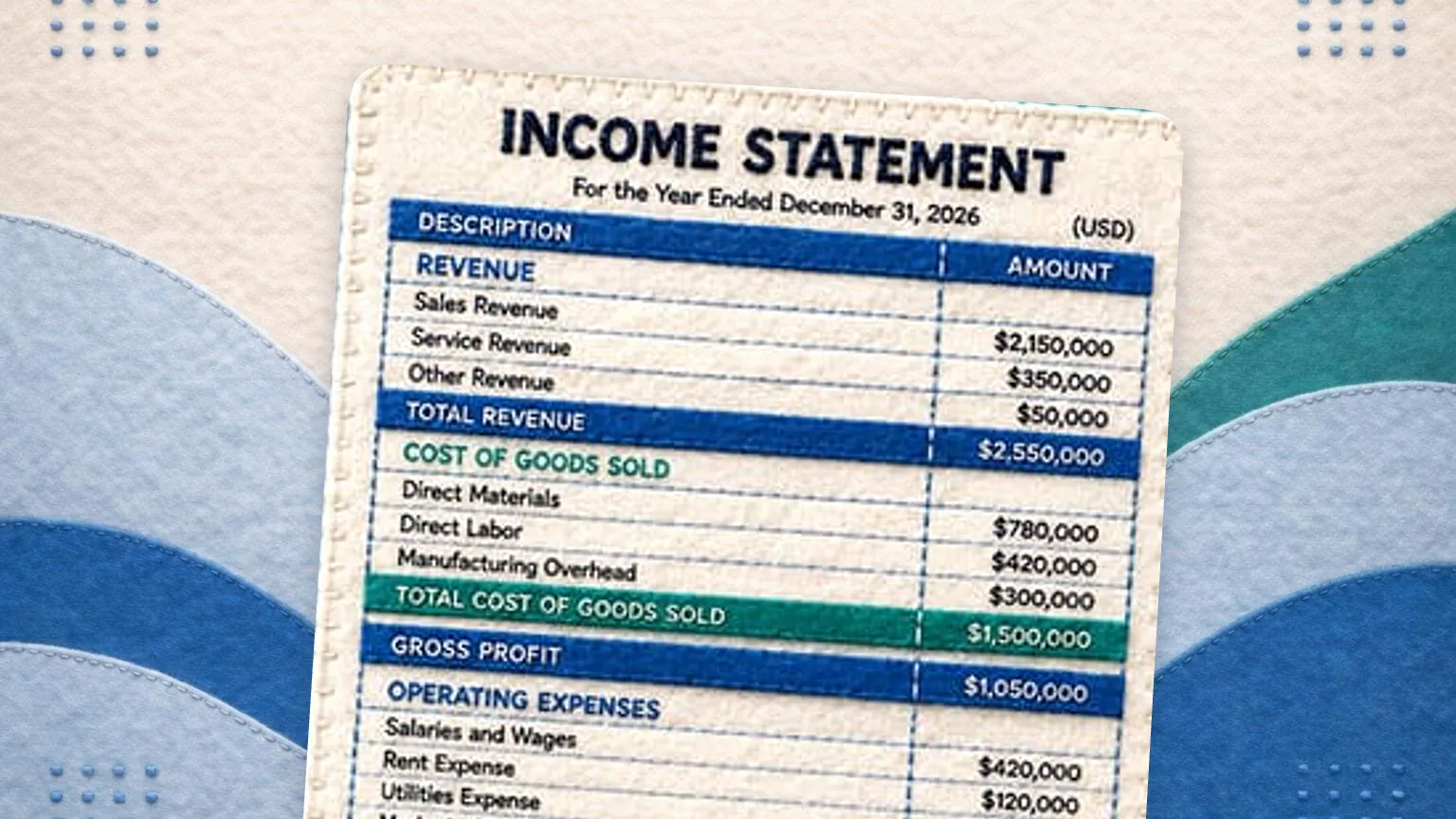
The integrity of your financial statements reflects the accuracy of your data and the discipline of your accounting processes. When financials are compiled inconsistently or without clear documentation, the risk of misstatements increases significantly. A key part of accounting best practices is ensuring that income statements, balance sheets, and cash flow reports are generated using consistent timing, classification, and reconciliation procedures.
Closing the books at the end of each month should follow a defined schedule with clear responsibilities for you and your bookkeeper. Transactions must be posted to the correct period, and all revenue and expenses should be accrued accurately. Following this standard monthly rhythm helps ensure quarterly and annual reporting is accurate and defendable, especially when your CPA reviews your books.
Best Practices for Reconciliations and Adjustments

Reconciling accounts is not just about catching errors. It’s a proactive process that verifies your financial records align with bank statements, payroll systems, and credit card processors. Adopting a regular cadence for reconciliations, particularly for high-volume accounts like cash, accounts receivable, and accounts payable, helps prevent fraud, reduce financial risk, and catch mistakes before they become systemic. Several of these are jobs you would hand over, so it is worth reading what a small business accountant does before you delegate.
Many businesses still wait until the end of a quarter to reconcile key accounts, but this delay increases the likelihood of outdated or inaccurate financial reporting. With bank connections through Plaid, GlassJar brings transactions in for you to review, so reconciliations can happen monthly or weekly instead of quarterly and problems surface sooner. This aligns directly with auditing best practices and enhances both internal and external transparency.
The Role of the CPA in Best Practice Oversight
Working with a certified public accountant is not just for tax season. A CPA serves as a critical partner in validating your accounting policies, improving internal controls, and ensuring that your systems meet GAAP or IFRS standards depending on your requirements. As a business grows, CPAs also play a central role in designing policies for revenue recognition, depreciation, amortization, and bad debt reserves, all of which directly impact your financial statements and reporting.
GlassJar’s report library lets your CPA pull the standard reports they need, and every plan includes a free seat for your CPA or bookkeeper so they can review your books directly. At tax time, a CPA can work more efficiently when accounting systems follow standard conventions and best practices in accounting.
Audit Preparation as a Continuous Process

A review of your books can come at any time, especially when you apply for a loan or answer a question from the IRS. Well-run businesses approach audit readiness as a year-round process, not a last-minute scramble. This includes logging every journal entry with proper documentation, maintaining backup for large or unusual transactions, and establishing controls for who can create, edit, or approve changes in your system.
GlassJar keeps an activity trail for every transaction and lets you assign roles and permissions that control who can see and change what. These controls reduce the risk of unauthorized changes.
Year-End Reporting and Lender Confidence
Year-end statements are not just a tax-time chore. They are a chance to build trust with lenders, partners, and your CPA. That means keeping account groupings consistent, noting any big changes, and showing clear breakdowns of revenue sources and liabilities.
With GlassJar, year-end statements come straight from the report library, so you or your bookkeeper can pull reports that reflect operations, profitability, and long-term financial position without extensive rework or formatting.
Scaling Your Accounting Infrastructure
As your organization grows, the complexity of your accounting environment increases. New locations, new revenue streams, and new tax jurisdictions all require scalable processes and systems. Without a strong foundation, growth can amplify problems in oversight, compliance, and reporting. Implementing accounting best practices early protects your company from disorganized financial operations later.
GlassJar is built to grow with your business. Each user chooses which reports appear on their dashboard, and user roles control what each person can see and change. The platform supports the workflows a small team and its bookkeeper rely on, which builds consistency into your day-to-day accounting tasks.
Ongoing Education and Training
Even the best systems and software require human knowledge to operate effectively. Businesses should create regular opportunities for you and anyone who handles the books to stay up to date on accounting standards, compliance requirements, and technology features. Whether it’s GAAP updates, changes to IRS reporting thresholds, or software training, ongoing education reinforces adoption of bookkeeping practices that reduce risk and ensure regulatory alignment.
GlassJar’s help documentation walks through each part of the system so your team stays confident using it. With the right processes in place, everyone who touches the books can contribute to accurate records, timely reporting, and documentation that is ready for review.