













Cloud accounting changes four things that matter: your bank data arrives on its own, more than one person can work in the books at once, you stop managing backups and upgrades, and your accountant can see the same file you see. It does not make your books accurate, it does not reduce the work of categorizing transactions, and it costs you three things nobody mentions in the sales material.
This is written as the honest version, because the category is full of vendor pages promising transformation. The real list is shorter and still worth having.
The four things that genuinely change
Bank and card data arrives without you typing it. This is the largest single change and the one that actually saves hours. A bank feed pulls transactions daily, matches them against invoices and bills you have already entered, and proposes a category for the rest. The work shifts from entry to review. On desktop software you either imported a file every week or typed from a statement, and both are where a month quietly becomes three months behind.
Several people can be in the books at the same time. Not a small thing. On a file based system the books live on one machine, which means one person at a time and a copy emailed to the accountant that immediately diverges from the original. Cloud software removes the copy entirely. You, your bookkeeper and your accountant work in one set of records, and nobody reconciles two versions of December.
Backups, upgrades and tax table updates stop being your job. Your data is replicated by the vendor, the version you log into is the current one, and you never install anything. If your laptop is stolen on Tuesday you log in from another machine on Tuesday afternoon. That one scenario justifies the switch for a lot of small businesses on its own.
Your accountant sees what you see. No file transfer, no version question, no accountant’s copy to merge back. Give read access and they answer a question in five minutes rather than asking you to export something. At year end this compresses a week of back and forth into a conversation.
What does not change
Accuracy is still yours. Cloud software records what you tell it. A bank feed that guesses a category wrong is wrong faster than you were. The reconciliation discipline, the receipt capture, the chasing of differences, all of it is the same job it was on desktop.
The volume of categorization work. Automation suggests, you confirm. On a business with four hundred transactions a month, confirming four hundred suggestions is less work than entering four hundred transactions and it is not no work.
Accrual judgment, tax positions and anything requiring an opinion. No accounting software decides whether an expense belongs in this period, how to treat a prepayment or whether your entity structure still makes sense. That is a person.
Your chart of accounts. If it was a mess on desktop it is a mess in the cloud, and migrating is the moment to fix it rather than carry it forward.
The three places it costs you something
You are renting, so the bill never ends. Desktop software was a purchase you could simply keep using. A subscription is permanent and it rises. Verified monthly list prices as of October 16, 2026: QuickBooks Online runs $0 on its Free tier, $38 for Simple Start with one user, $85 for Essentials with three, $140 for Plus with five and $340 for Advanced with twenty five. Xero is $27, $59 and $97 across Early, Growing and Established, with no per-user license fees. Zoho Books is $0 for one user plus one accountant, $20 for three users and $50 for five. GlassJar is $59 a month for one user, $99 for two and $299 for five. Multiply your chosen plan by sixty months before deciding it is cheap, and check the regular price rather than the introductory one, because most vendors discount the first few months.
No internet means no books. Bad connectivity turns a ten minute task into an afternoon. For most businesses this is a non issue and for a few it is decisive, and the honest answer depends on where you work.
Your data lives somewhere you do not control. You are trusting a vendor’s security and continuity, you are subject to their outages, and if they change pricing or shut a product down your options are limited. Two practical defenses: turn on two factor authentication for every user on day one, and export your general ledger, trial balance and year end statements to local files annually so you are never fully dependent on continued access. Ask about export formats before you subscribe, not when you are leaving.
What to check before you move
Bank feed coverage for your actual bank. Not the vendor’s list of supported institutions in general. Yours, including the business credit card. A missing feed removes the main benefit.
Who needs to log in, and how seats are priced. Count everyone including the bookkeeper and the accountant. Xero states no per-user license fees. QuickBooks Online and Zoho Books tier by user count. GlassJar includes one, two and five users on its three plans, with no published plan above five.
The statements that come out natively. Run your real month end reports in a trial before committing. Build the target first with the free balance sheet template, then make the software match it without manual cleanup. A tool that needs a spreadsheet to finish your statements needs one every month.
Your accountant’s opinion, asked before you shortlist. A system they fight every quarter costs more in cleanup hours than a pricier one they know.
Migration timing. Move at the start of a fiscal year if you can. A mid year cutover splits one year across two systems, which breaks prior year comparatives and makes every annual report a manual addition.
Where GlassJar fits, and where it does not

GlassJar is cloud accounting software for small businesses, bookkeepers and accounting firms, and it launches in January 2027. It is new, with no track record, which is a legitimate reason to wait.
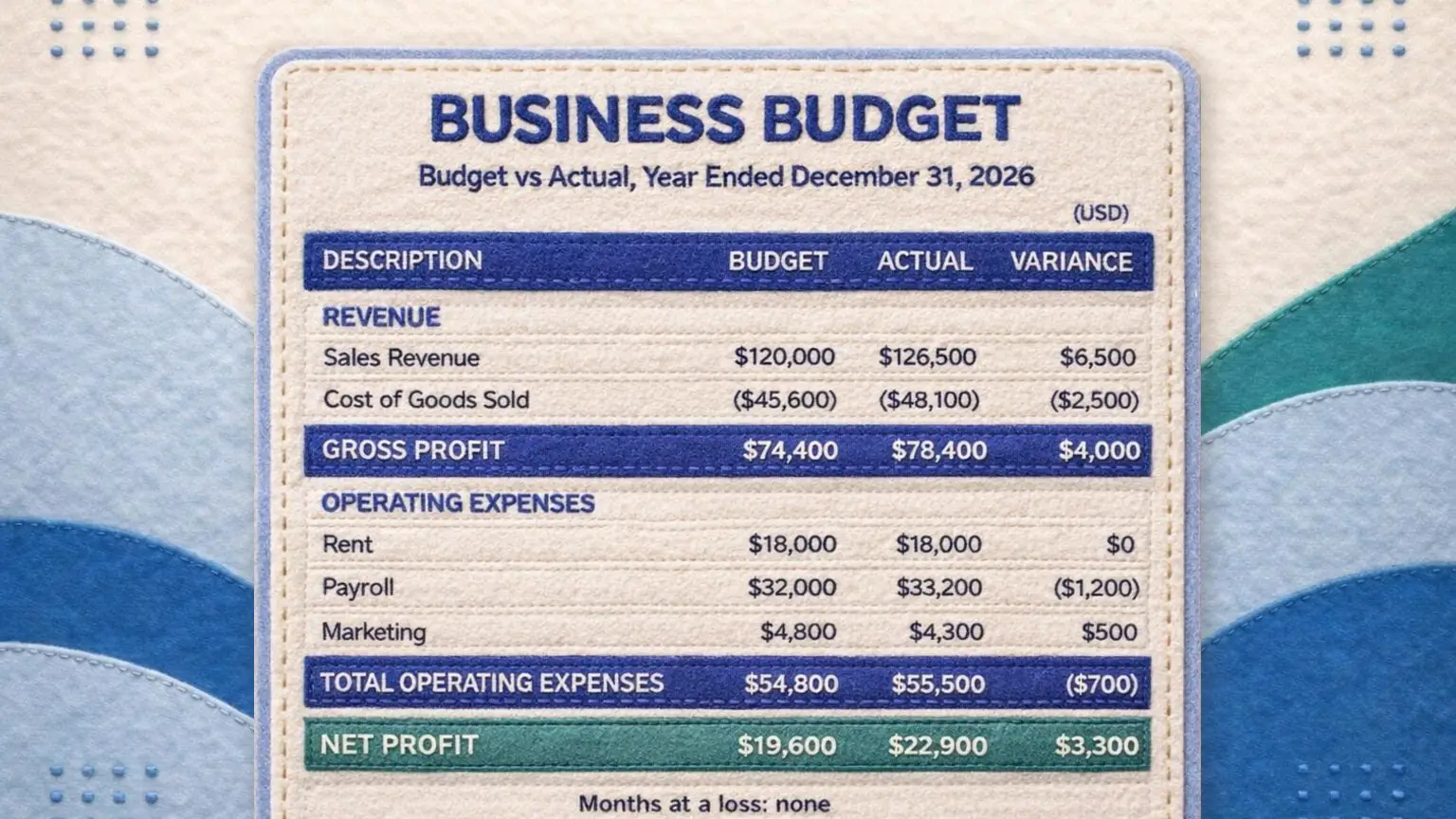
What it does: every transaction type is entered on one screen, so a bill, an invoice, a check and a journal entry share one layout and one keyboard path rather than four different screens. One contact record can be customer, vendor and contractor at the same time. Each user picks which reports load on their own dashboard. Bank integration and reconciliation, invoicing, accounts payable and receivable, expense tracking, bill management, budgeting with variance reporting, recurring transactions, period close, check printing, custom tags and user permissions are included.
What it does not do, plainly: no payroll, no sales tax filing, no inventory, no time tracking, no project profitability, no 1099 generation, no multi-entity consolidation, no forecasting beyond budgets and no integrations marketplace. If you need payroll inside your accounting software, QuickBooks Online is the straightforward answer and GlassJar is not.
Plans are Intro at $59 a month for one user, Essentials at $99 for two and Advanced at $299 for five, all 50 percent off for the first three months at launch. See pricing or start a 14 day free trial with no credit card required.
FAQ
What are the real benefits of cloud accounting software?
Four: bank and card transactions import automatically instead of being typed, multiple people work in one file at the same time, the vendor handles backups and upgrades, and your accountant sees the same records you do. Everything else in the category’s marketing is a version of one of those four.
Is cloud accounting safe for my financial data?
The security is generally better than a laptop with an unencrypted file on it, since vendors replicate data and employ security teams you cannot. The trade is control: you depend on their uptime, their practices and their continued existence. Turn on two factor authentication for every user and export your general ledger and year end statements locally once a year.
Is cloud accounting cheaper than desktop software?
Usually not over a long enough period, because a subscription never ends and a license purchase did. It is cheaper in the first year and in total cost of ownership once you count the time a bank feed saves, the IT work you stop doing and the accountant hours you stop paying for file transfers. Multiply the monthly price by sixty before calling it cheap.
Can I use cloud accounting software without an internet connection?
Not meaningfully. Mobile apps may let you capture a receipt or log an expense offline and sync later, but entering transactions, reconciling and running reports need a connection. If your connectivity is genuinely unreliable, that is a real argument for desktop software.
Will my accountant be able to work in it?
Yes, if you give them access, and that is one of the main advantages. Ask which systems they already work in before you choose, because familiarity saves more money than a $20 difference in plan price.
Should I switch to the cloud mid year or wait?
Wait for the start of your fiscal year if nothing is actively broken. A January cutover leaves one complete year in the old system and one in the new, so reconciliation, prior year comparatives and your tax return all tie without manual stitching. Buy in the autumn, set it up, and switch posting on day one.